
How to lock down your privacy settings: Quora
Verified working August 20, 2026. Not working? Let us know
Easy · 4 steps · about 2 to 4 minutes
Direct links to your Quora privacy settings
One page carries all of it. Settings opens on Account, which holds none of it.
- Privacy - Four groups: who can find you, who can message you, who can comment, and what Quora may do with your content.
This is about the parts of a Quora account that are not your writing: your name in Google, discovery by email, an open inbox, and advertisers promoting your answers.
Quora also has a real AI training switch, on the same page, with its own guide.
How to find your Quora privacy settings manually
1. Open your account menu
Profile picture, top right of quora.com.
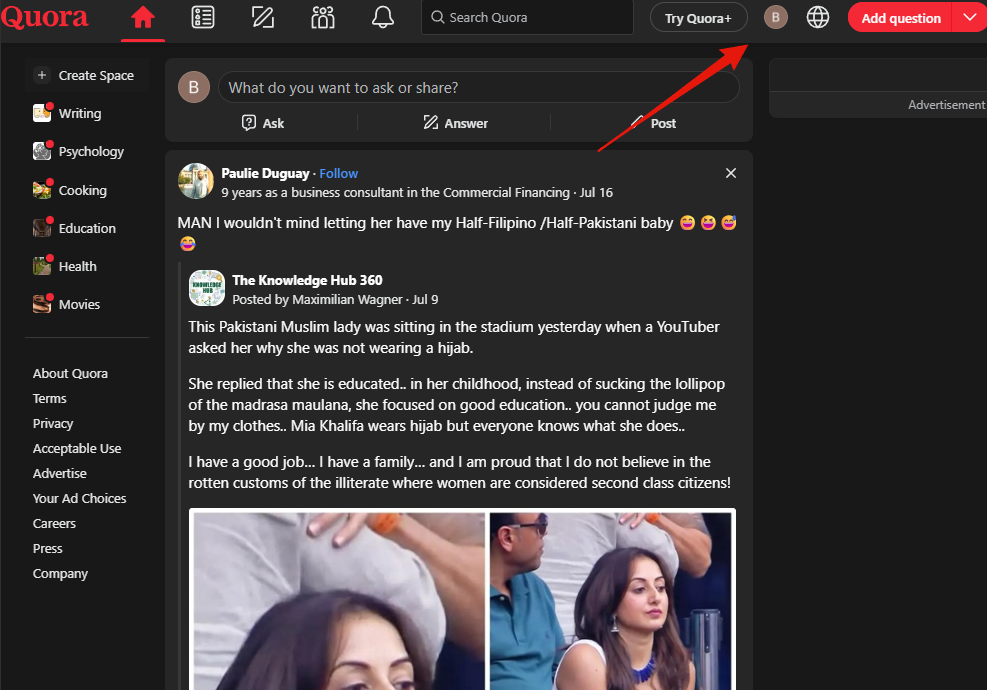
2. Choose Settings
Low in the menu, between Dark mode and Languages.
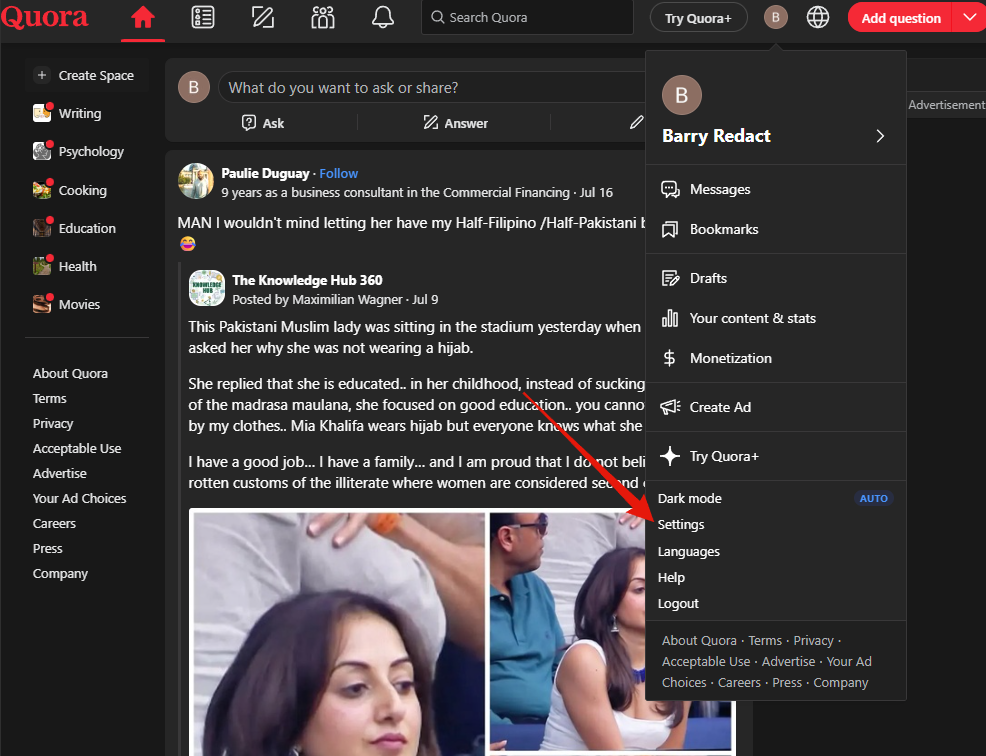
3. Open Privacy
Settings lands on Account. Privacy is second in the left list.
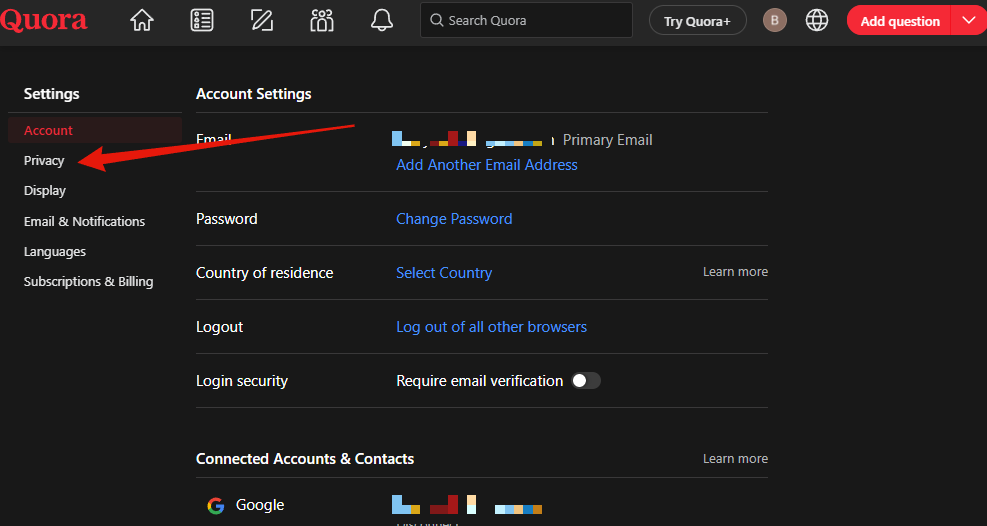
4. Work down the page
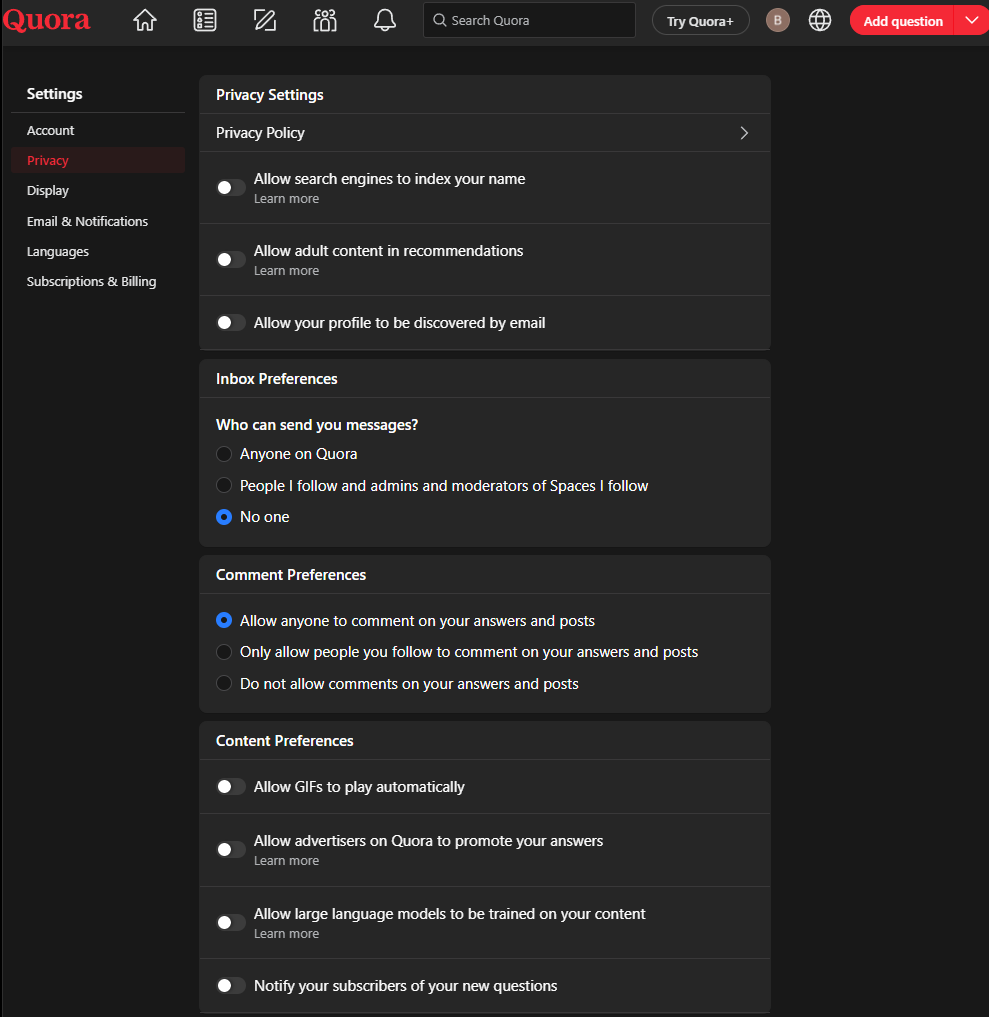
That is how I have mine set, with one deliberate exception.
Comment preferences is left open so anyone can comment. That is the point of the site. A question and answer site where nobody can reply is a noticeboard.
The rest:
- Allow search engines to index your name. Whether your profile turns up when someone searches your name.
- Allow your profile to be discovered by email. Anyone holding an email address of yours can match it to this account.
- Who can send you messages. Three choices, including No one.
- Allow advertisers on Quora to promote your answers. Your writing carrying someone else's campaign.
- Allow adult content in recommendations, Allow GIFs to play automatically and Notify your subscribers of your new questions are comfort settings on the same page.