How to opt out of AI training: Quora
Verified working August 20, 2026. Not working? Let us know
Easy · 4 steps · about 1 to 2 minutes
Direct links to your Quora AI opt-out
One switch, near the foot of one page.
- PrivacyOn by default - Scroll to Content Preferences at the bottom. The switch is Allow large language models to be trained on your content.
This is a real one. Quora gives you a switch that says what it does: Allow large language models to be trained on your content. It is on until you turn it off.
How to find your Quora AI opt-out manually
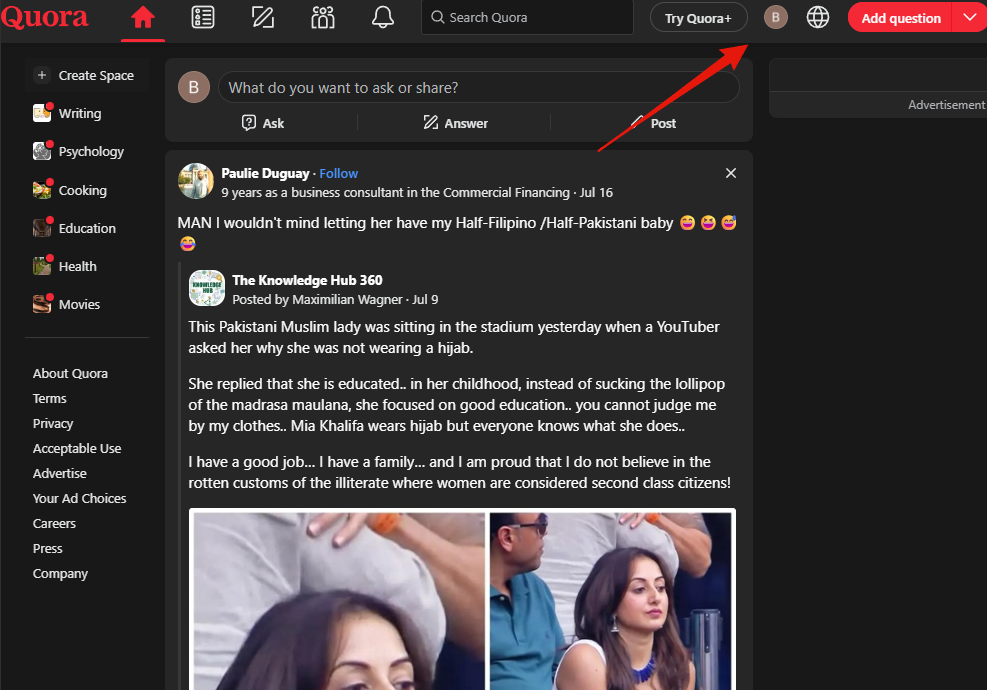
1. Open your account menu
Profile picture, top right on quora.com.
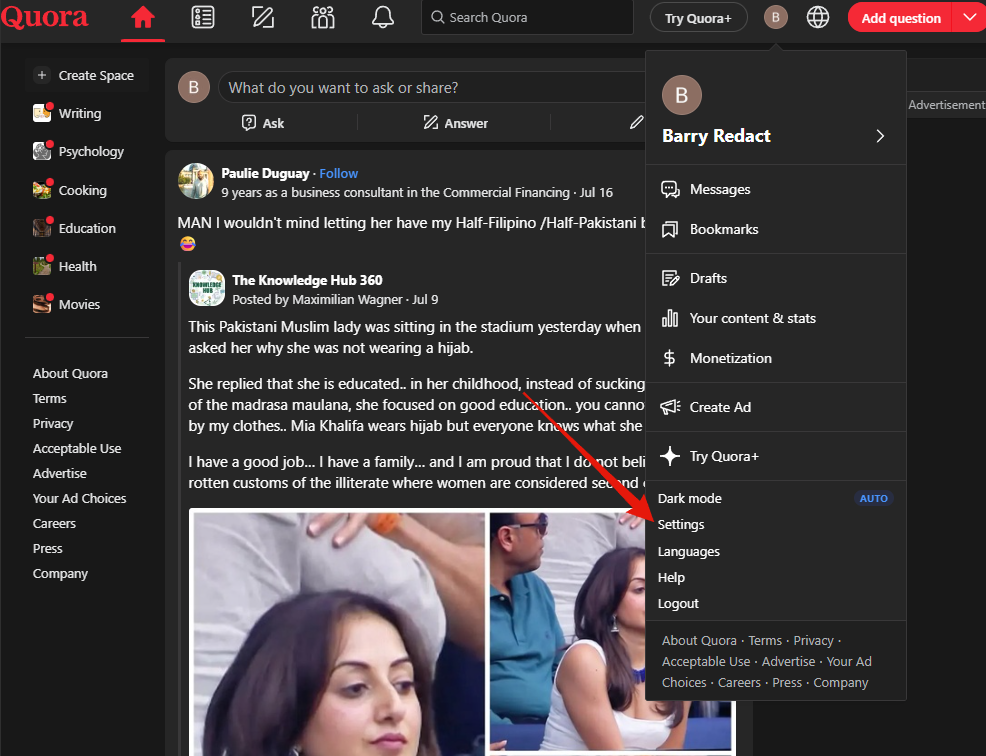
2. Choose Settings
Near the bottom of the menu, one row under Dark mode.
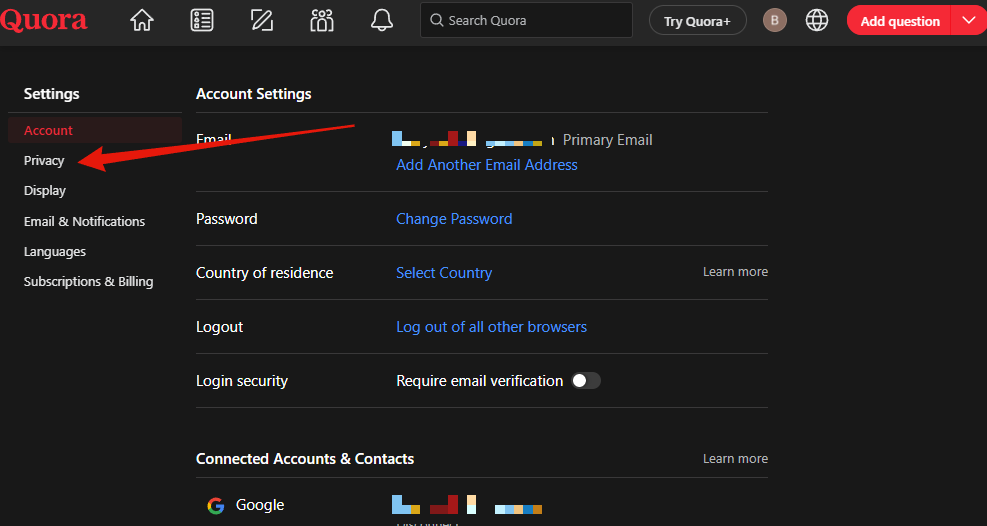
3. Open Privacy
The menu opens on Account. Privacy is directly below it.
4. Turn off the training switch
Scroll to Content Preferences, the last group. The switch is third, under the two about GIFs and advertisers.
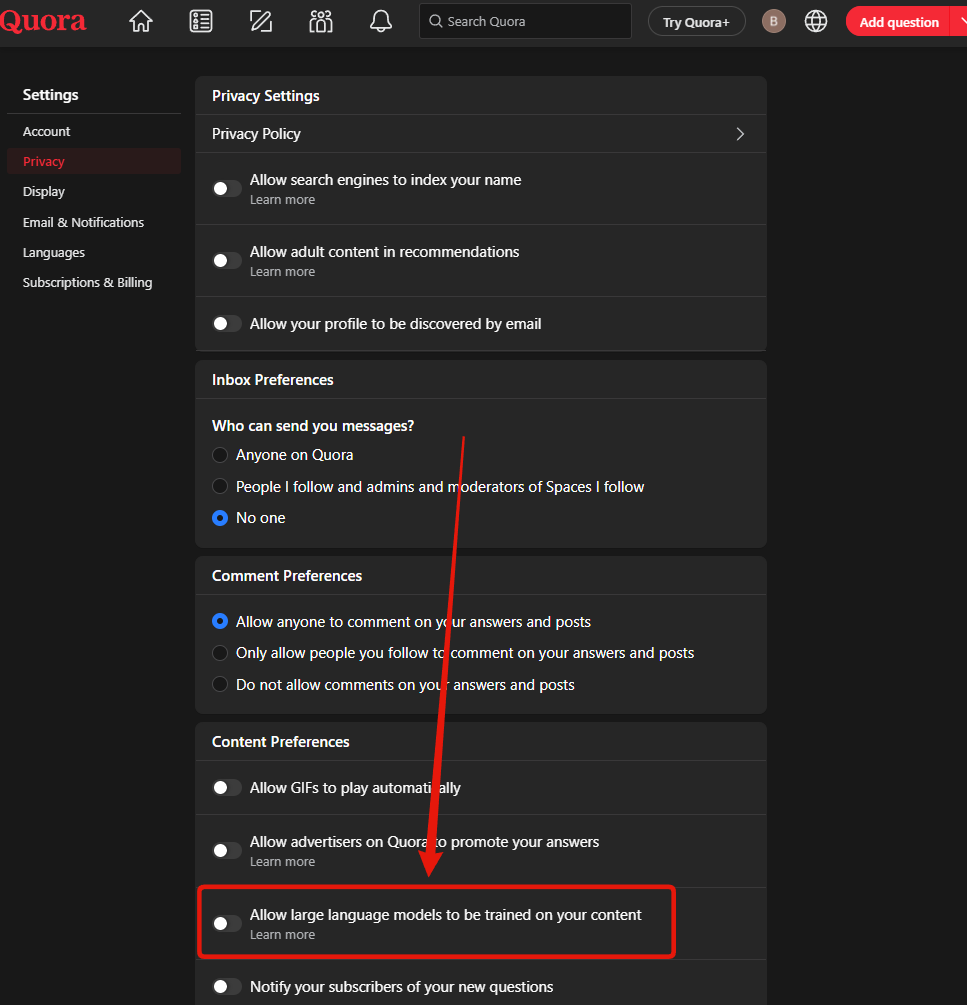
Make sure it reads off. It is on by default.
What it does not undo
It applies from here. Nothing already collected is called back, and no setting un-trains a model. It also binds Quora only: public answers get scraped by people who never asked Quora.