How to opt out of AI training: Tumblr
Verified working August 19, 2026. Not working? Let us know
Easy · 2 steps · about 2 to 3 minutes
Direct links to your Tumblr AI opt-out
The toggle belongs to one blog, and the real address ends in that blog's name: tumblr.com/settings/blog/your-blog-name. If you run more than one, you have to set it on each.
- Blog settingsOff, so the blog is shared until you change it - Scroll to Visibility, near the bottom. The switch you want is the last one in that group, fourth from the bottom of the whole page.
Most of the services we cover here do not really let you opt out of AI training, whatever their settings pages imply. Tumblr does, and it is one switch. No form, no email, no waiting to hear back.
Tumblr licenses blog content to what it calls its network of content and research partners, and it says plainly that this includes partners who train AI models. The switch below stops your blog going into that, and Tumblr's own description says it covers your content even where it appears in someone else's reblogs.
It was off when I got there, which is the part worth sitting with. Nobody asked me. Until you turn it on, the answer on your behalf is yes.
How to find your Tumblr AI opt-out manually
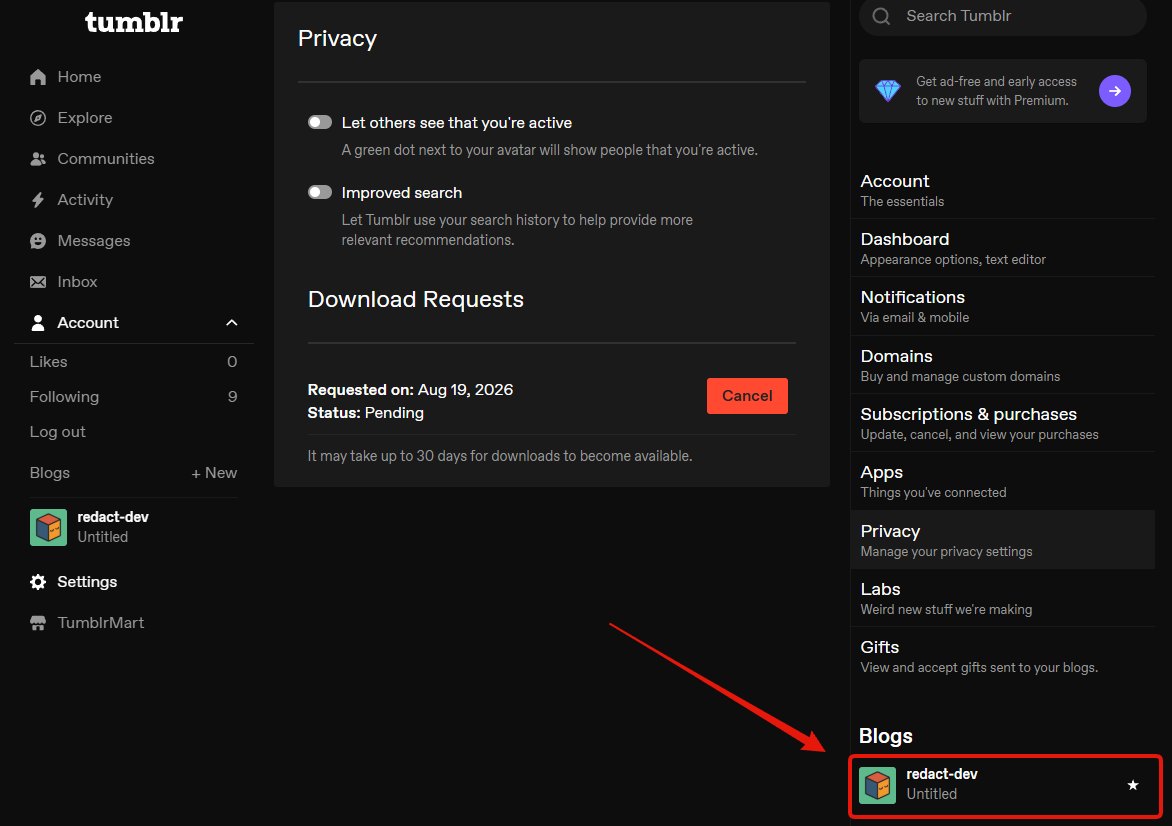
1. Open your blog's settings
Log in, click Settings in the left menu, then scroll to the bottom of the right-hand column and click your blog under Blogs.
2. Turn on Prevent third-party sharing
Scroll down the blog settings to the Visibility group. The switch you want is the last one in it, and an easy way to find it is to go to the very bottom of the page and count up: past Delete blog, past Export, past Blocked Tumblrs, and there it is, fourth from the bottom.
It reads "Prevent third-party sharing for" followed by your blog's name. Turn it on.
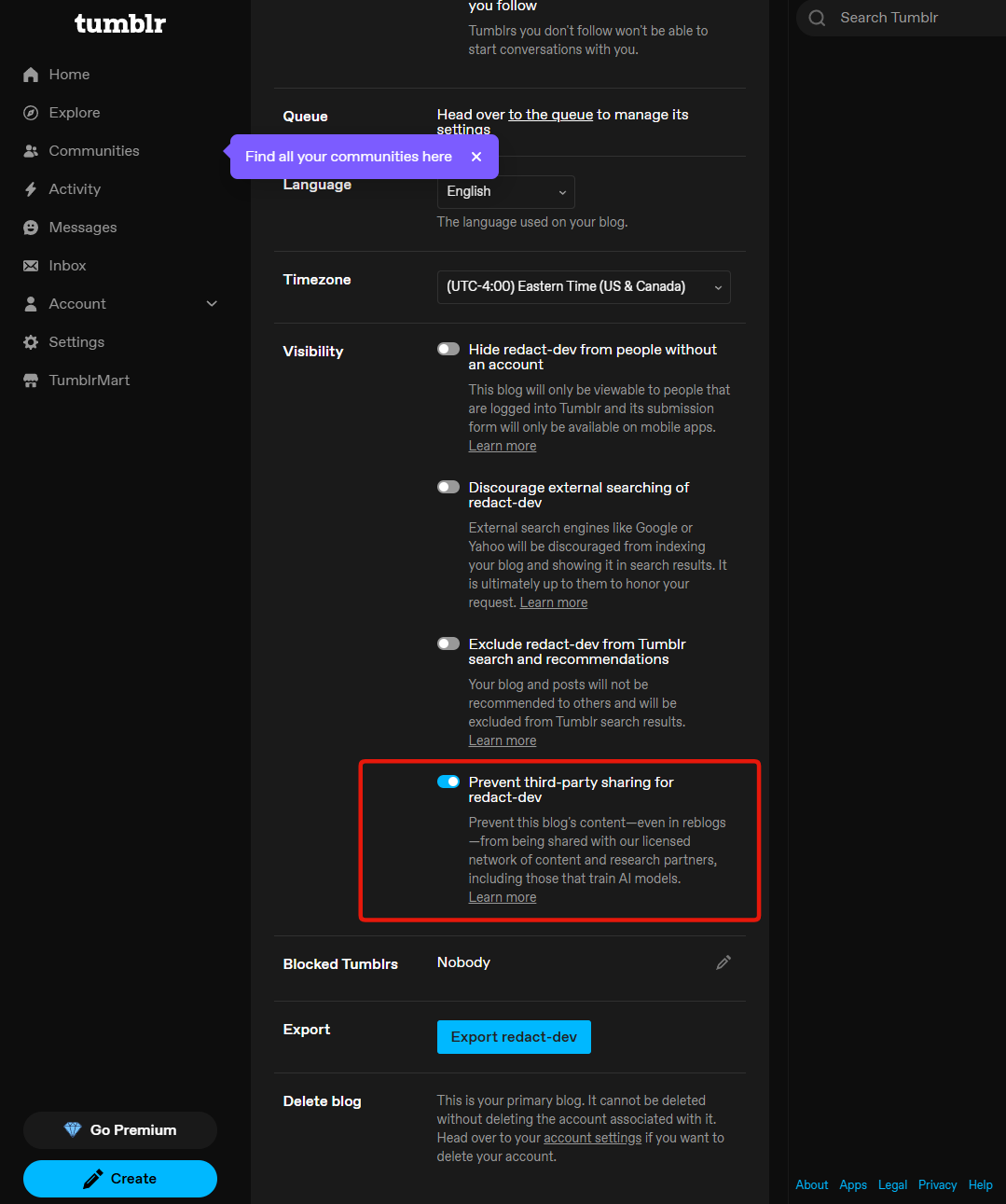
That is the whole opt-out. There is nothing to submit and nothing to confirm, and the setting holds as soon as it flips.
Worth knowing
The toggle belongs to one blog
It is named after the blog you clicked through from, so if you run several, this is a
per-blog job and doing it once does not cover the rest. The address bar tells you which
one you are on: it ends in the blog's own name, as
tumblr.com/settings/blog/your-blog-name.
The three switches above it are not this
Hiding your blog from logged-out visitors, discouraging search engines, and dropping out of Tumblr's own search all sit in the same group and none of them is the AI setting. They are worth understanding on their own terms, which is what the other guide is for: how to lock down your Tumblr privacy settings.
It does not reach backwards
Turning this on governs what gets shared from here. It is not a recall of anything already licensed out, and no setting on Tumblr offers one.