
Back to all guides
How to opt out of AI training: Microsoft Office
Verified working August 20, 2026. Not working? Let us know
Easy · 2 steps · about 1 to 2 minutes
Copilot arrives inside Word, Excel, PowerPoint and Outlook and reads the document you have open. One checkbox removes it, and it is in Options rather than the privacy panel.
The settings that decide what else goes to Microsoft's servers are in the privacy guide.
How to find your Microsoft Office AI opt-out manually
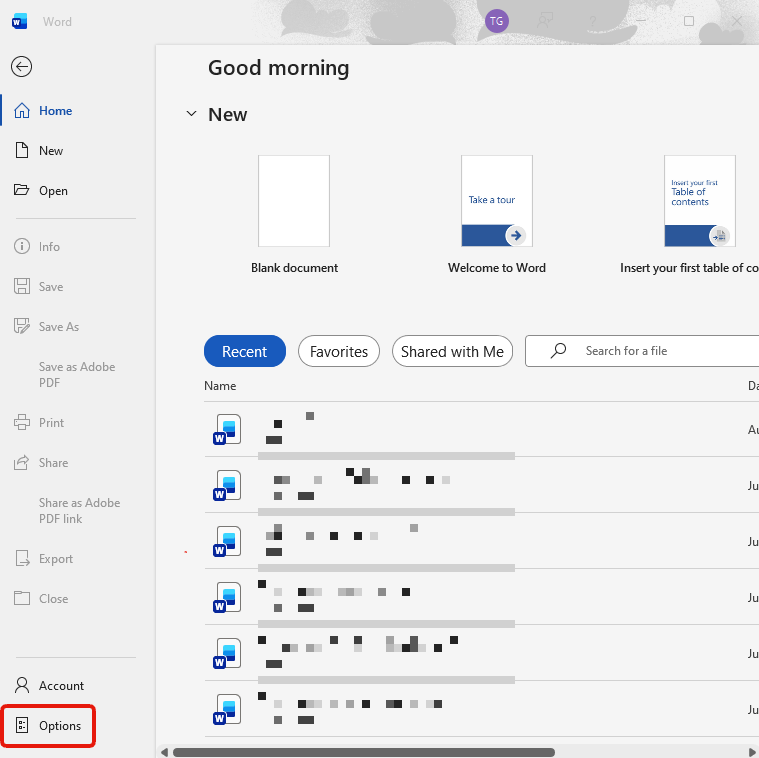
1. Open File, then Options
Last entry in the left rail, below Account.
2. Clear the Enable Copilot box
Copilot has its own tab, between Proofing and Save, holding one checkbox.
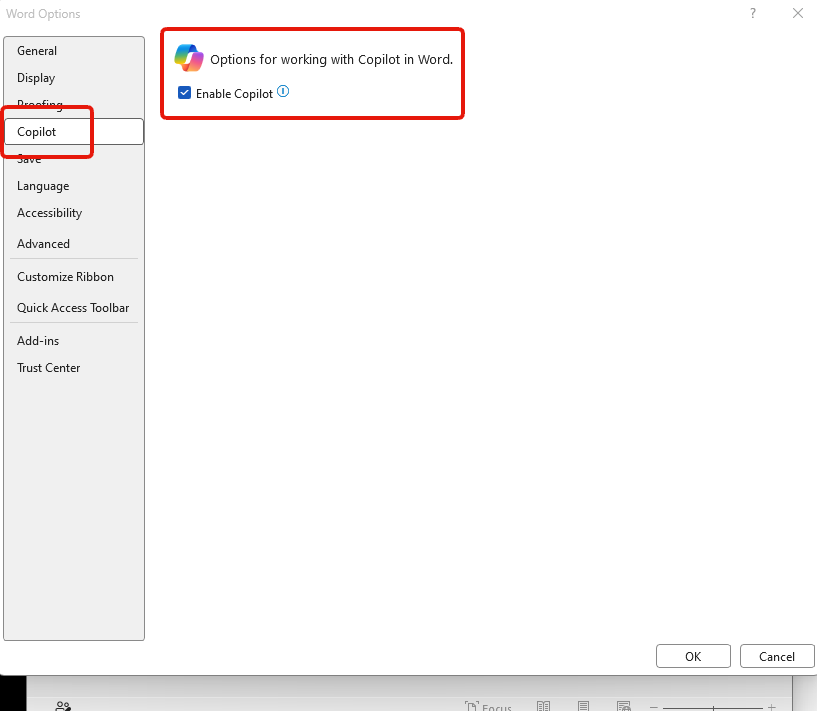
It is ticked unless somebody cleared it. Clear it, press OK.
This is per app. Word does not cover Excel, PowerPoint or Outlook.