How to lock down your privacy settings: Steam
Verified working August 20, 2026. Not working? Let us know
Easy · 2 steps · about 3 to 6 minutes
Direct links to your Steam privacy settings
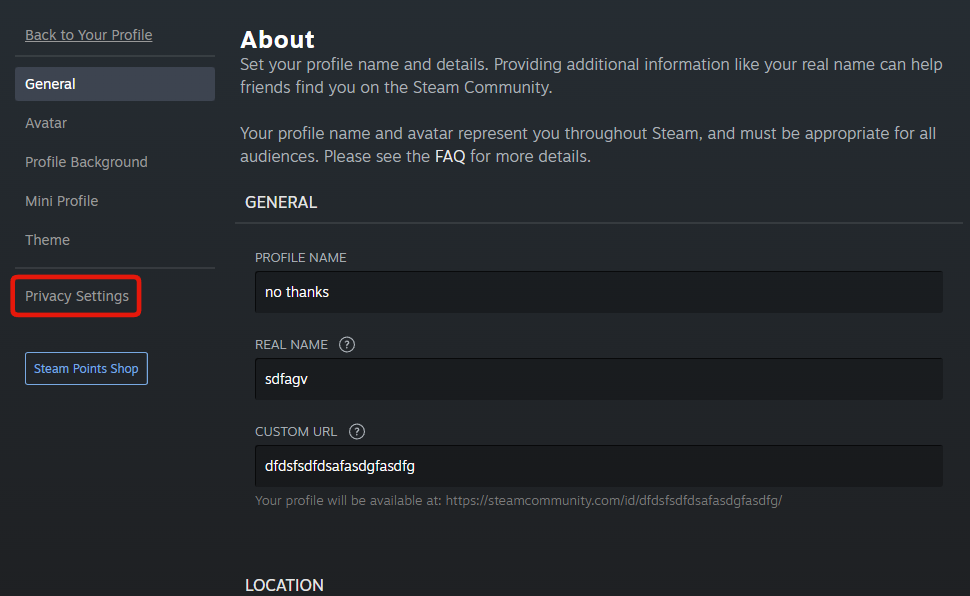
Two pages, and the first link lands on the one that matters. Neither is in a menu called settings.
- Privacy SettingsPublic - Who sees your profile, the games you own and play, your friends list, your inventory and your comments.
- Edit Profile - Real name, country and summary. None of it is checked against anything.
Steam has no AI opt-out. What it has is a community profile that is public on the open web, listing every game you own and have wishlisted, your playtime, achievements, friends list and inventory.
How to find your Steam privacy settings manually
1. Set your privacy choices
Privacy Settings is where the link lands.
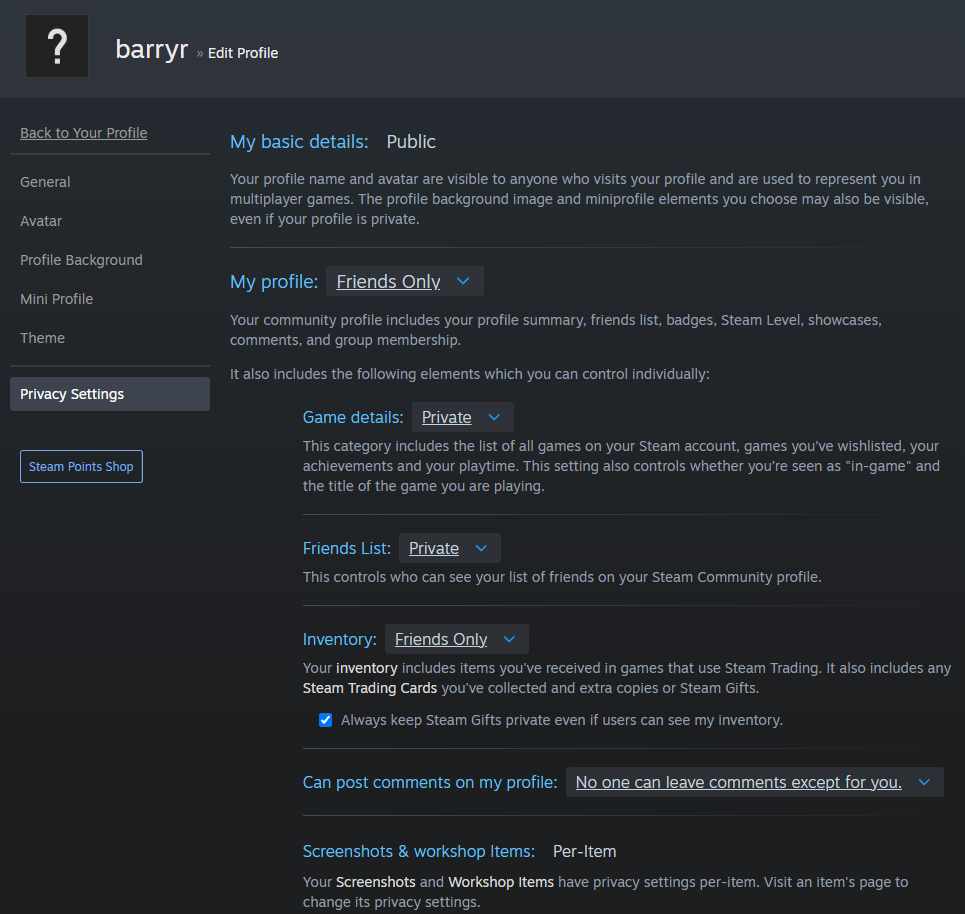
That is how mine are set. Set yours as you see fit.
- My basic details is fixed at Public with no control. Your name and avatar are visible to anyone, including inside multiplayer games.
- My profile is the master setting: summary, friends list, badges, level, showcases, comments and group membership.
- Game details covers every game owned and wishlisted, achievements, playtime, and whether people see you in a game right now.
- Friends List is who you know.
- Inventory is items, cards and gifts. The checkbox under it keeps gifts private even when the inventory is visible.
- Can post comments on my profile. Closing this off shuts down the usual scam route.
- Screenshots and workshop items says Per-Item. Each one carries its own setting on its own page.
2. Take the personal details off your profile
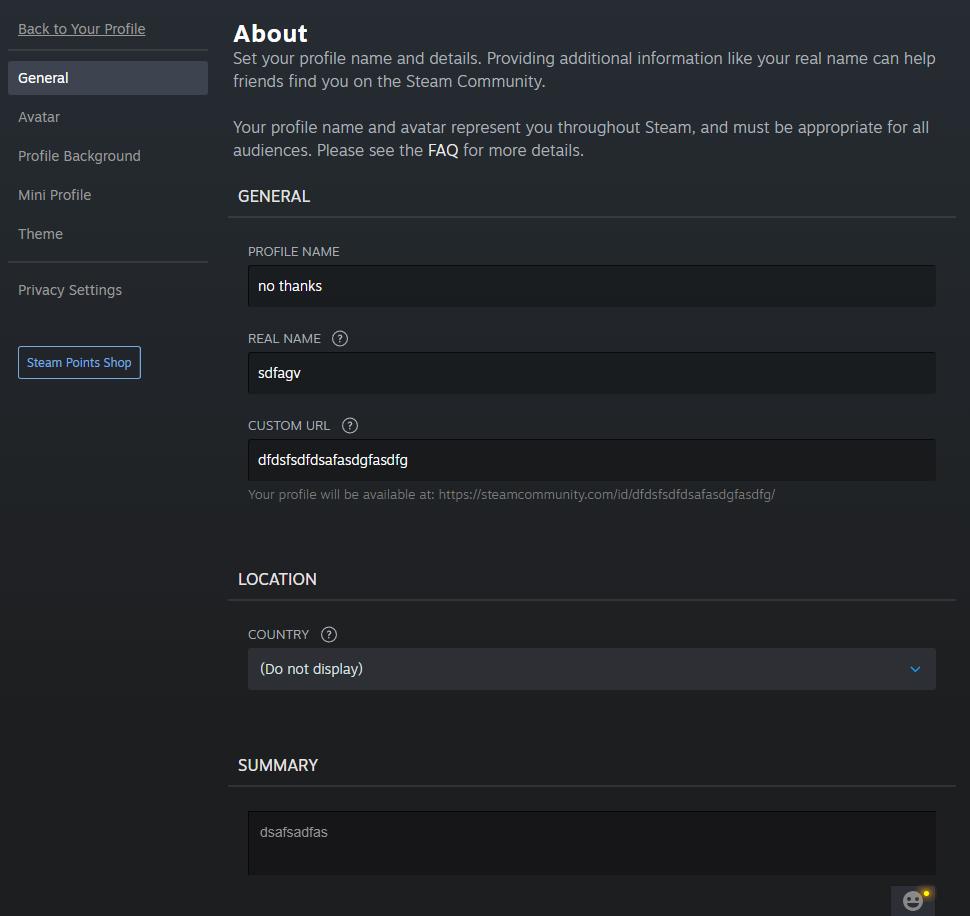
Nothing here is verified. Real name and Summary can be blank. Set Country to (Do not display), in the Location block below the name fields.
Your Custom URL is the public address of your profile. If it matches a username you use elsewhere, that is what ties them together, and changing it breaks existing links.
Getting there without the links
Click your account name, top right of steampowered.com.
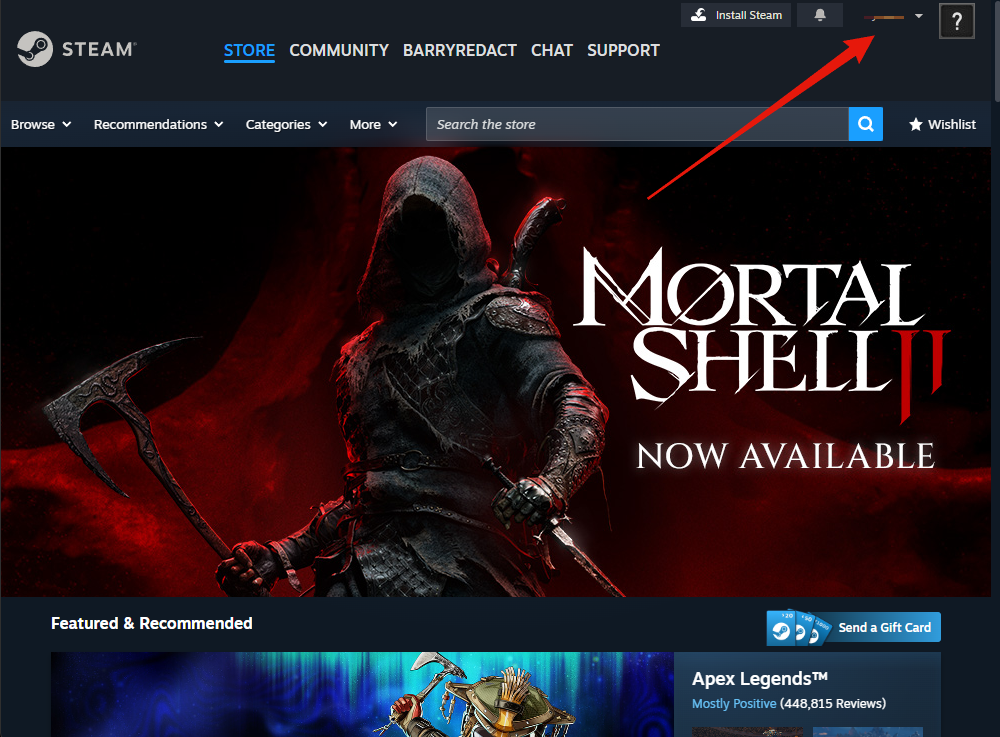
View my profile, not Account details, which is billing and security.
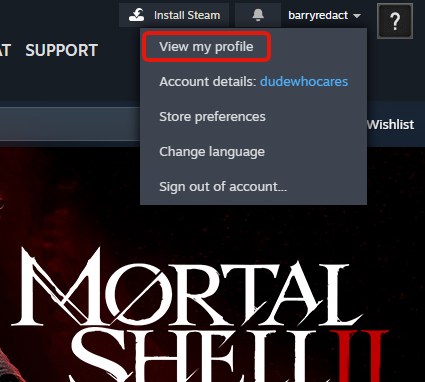
Edit Profile, under your level on the right.
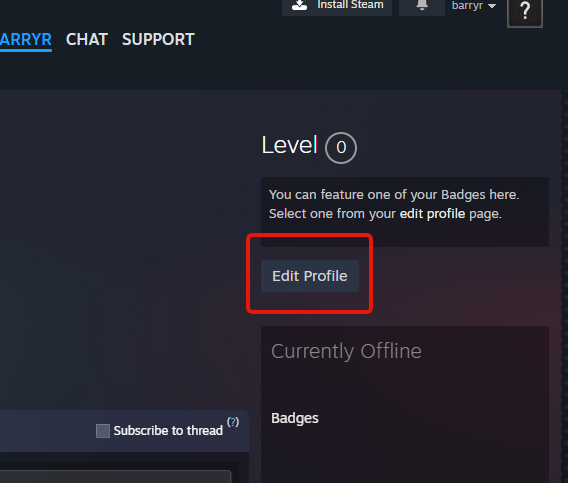
Privacy Settings is the last entry down the left, under a divider.