
How to lock down your privacy settings: Reddit
Verified working August 20, 2026. Not working? Let us know
Easy · 4 steps · about 1 to 3 minutes
Direct links to your Reddit privacy settings
One page holds all of it, and Settings does not open on it.
- PrivacyAll five switches on - Whether search engines can link to your profile, whether your profile is listed publicly, and the two advertising switches.
Reddit has no AI opt-out. The Google and OpenAI deals were signed for the whole site and no account setting touches them. What you control is who finds you and how you are advertised to. Five switches, all on by default, one page.
How to find your Reddit privacy settings manually
1. Open the account menu
Your avatar, top right of reddit.com.
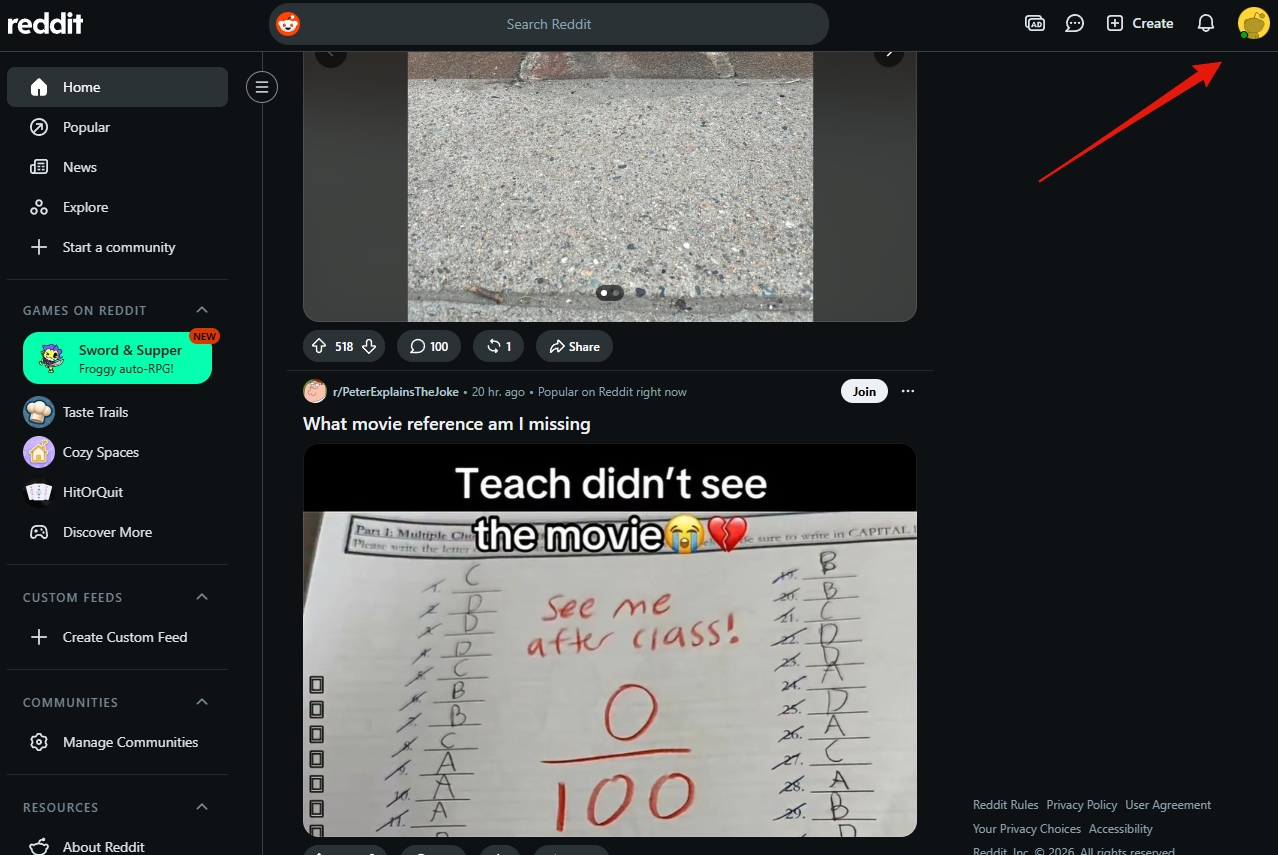
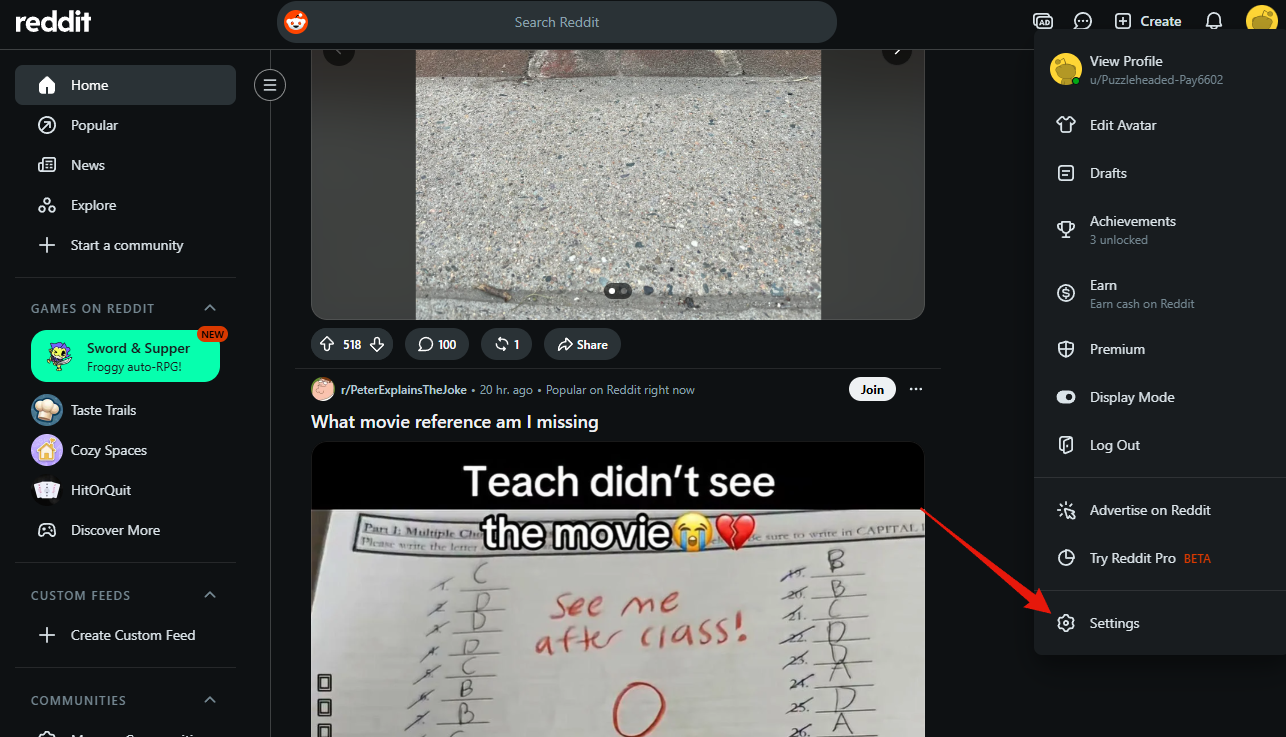
2. Choose Settings
Very bottom of the menu, under Advertise on Reddit and Try Reddit Pro.
3. Open the Privacy tab
Settings opens on Account. Privacy is the third tab along.
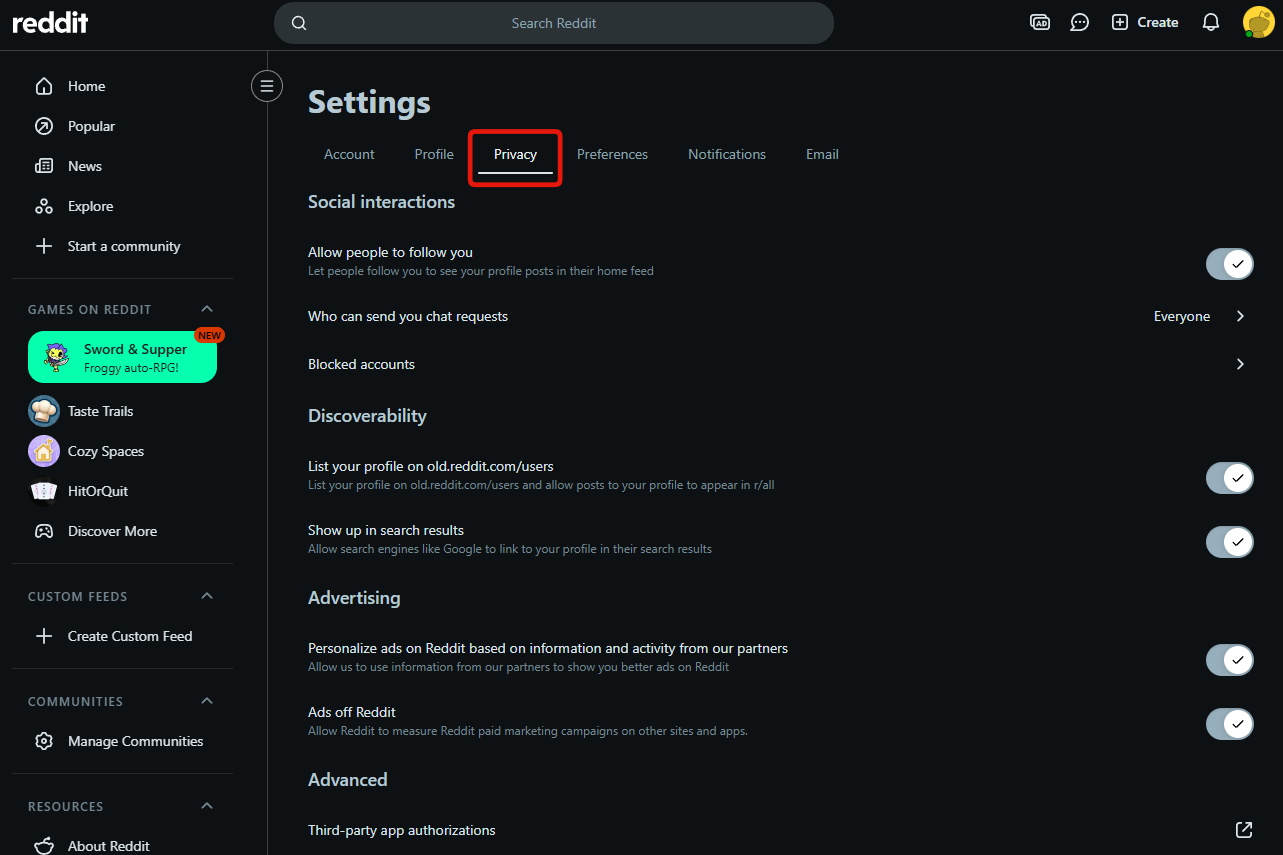
Discoverability
- Show up in search results. Puts your profile in Google, so anyone searching your username lands on your posting history.
- List your profile on old.reddit.com/users. Public directory, and lets your posts appear in r/all.
Advertising, two things with similar names pointing opposite ways:
- Personalize ads on Reddit based on information and activity from our partners. What other companies know about you, used to target you here.
- Ads off Reddit. Reddit following what you do on other sites to measure its campaigns.
Social interactions and Advanced are worth a look while you are there: chat requests are set to Everyone, Blocked accounts cuts people off, and Clear history wipes your post views.
4. Set the switches
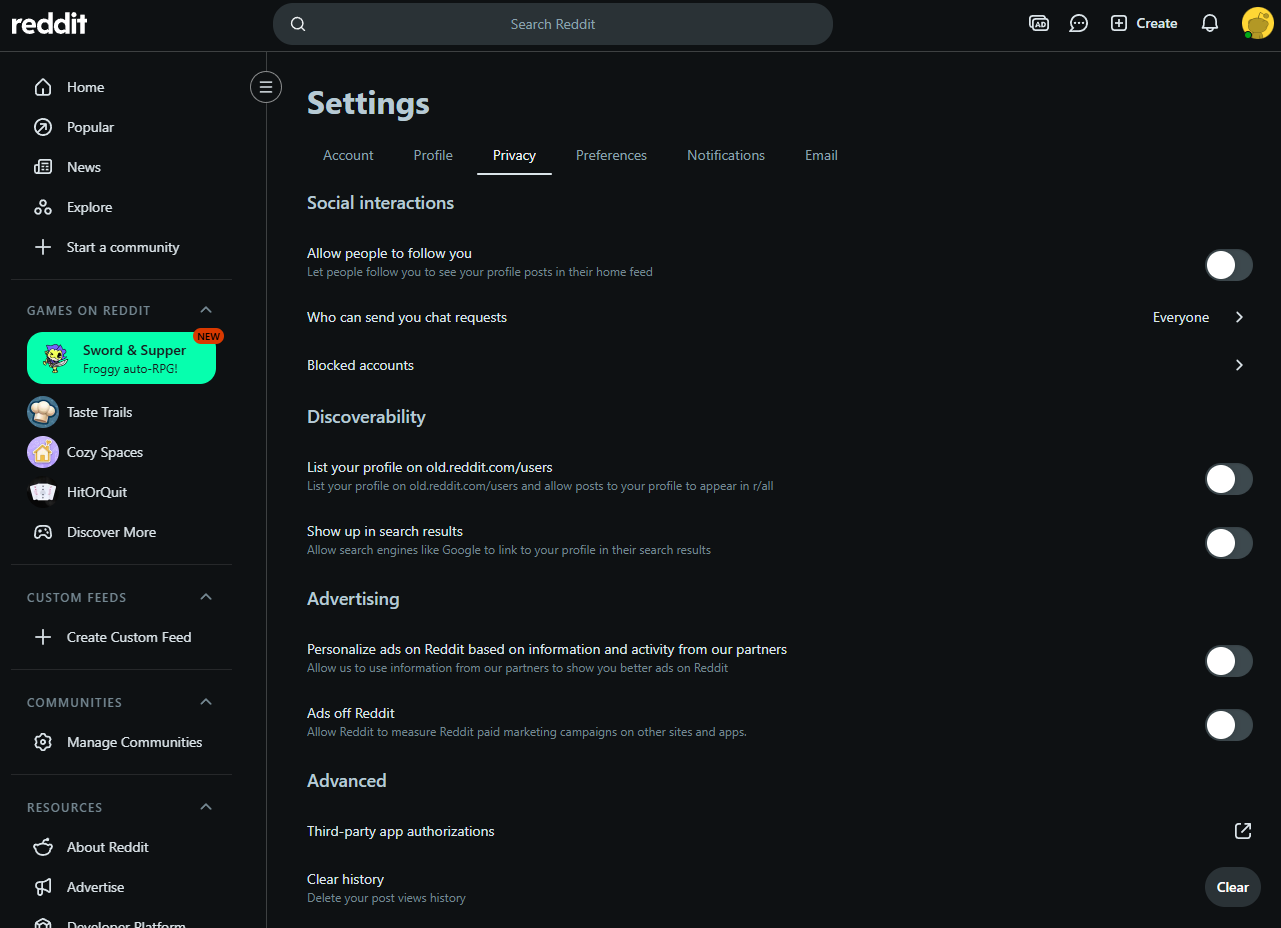
That is how mine are set, with all five off. Yours do not have to match. You may want them tighter or looser, and that is your call.
The three to think hardest about are Show up in search results and the two under Advertising.
There is no save button on this page.