
How to lock down your privacy settings: Disqus
Verified working August 13, 2026. Not working? Let us know
Easy · 4 steps
Direct links to your Disqus privacy settings
You need to be logged in for the first three. The fourth works without an account.
- Profile settingsPublic by default - This is where you hide your profile activity, so your comment history stops being a public list anyone can read.
- Data sharing settingsOn by default - This is where you stop Disqus sharing and selling your data to advertisers and other third parties.
- Email notification settingsDigests on by default - This is where you switch off every email Disqus sends you, with one button.
- Privacy request form - This is where you ask Disqus to delete the data it already holds, send you a copy, or stop selling it.
Disqus does not train AI on your comments, so there is no AI opt-out here. What Disqus does is advertising. It is owned by Zeta Global, an ad-tech company, and it tracks you across every site that runs Disqus comments. That tracking is on until you turn it off.
The walkthrough below shows where each setting lives and what the wording actually means, for anyone who wants the detail or finds that Disqus has moved something.
How to find your Disqus privacy settings manually
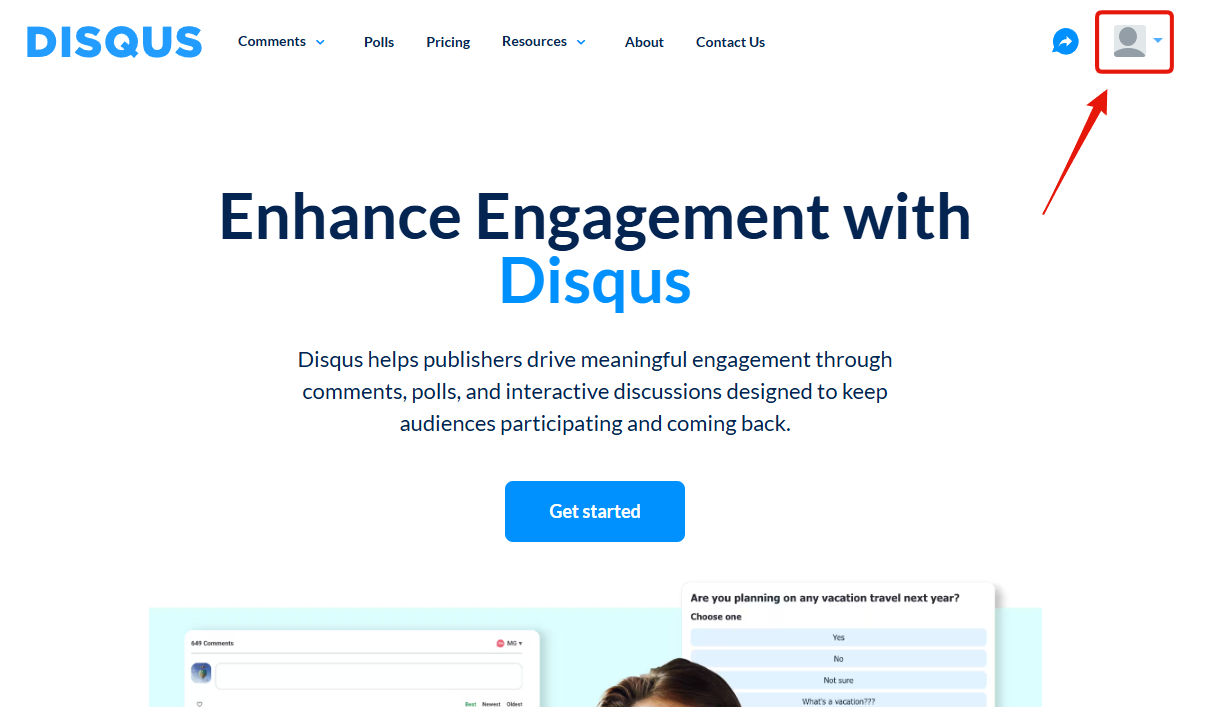
Log in, then click your profile icon in the top right corner.
Click Settings in the dropdown.
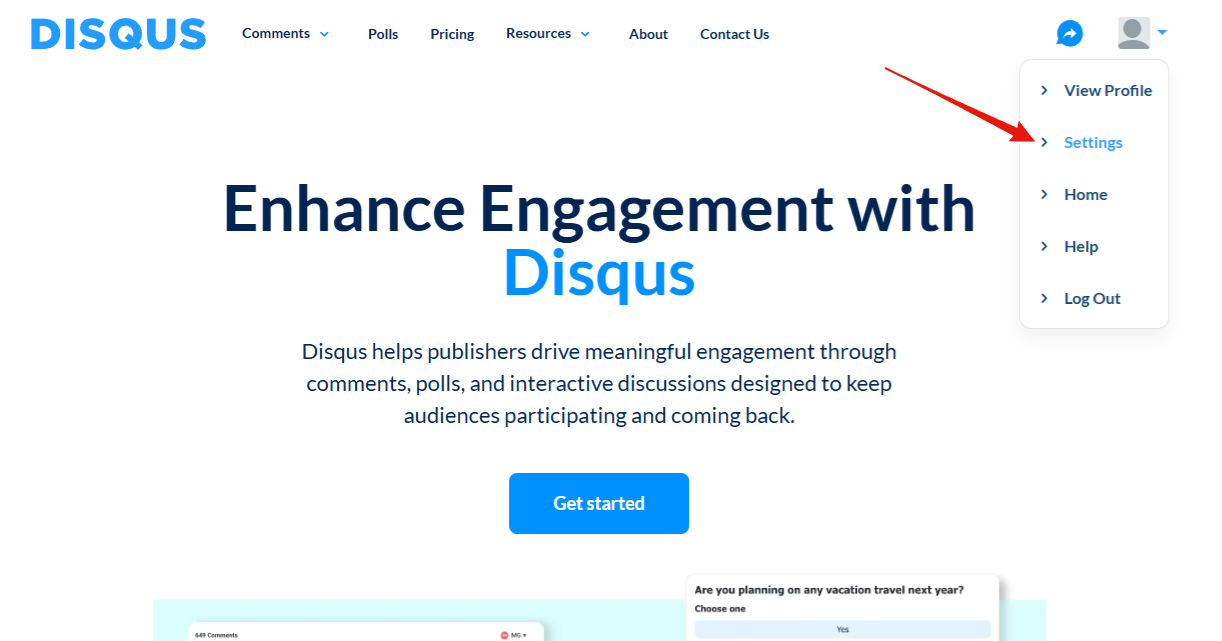
Everything below happens in here. The tabs run down the left side.
1. Hide your profile activity
On the Profile tab, tick "Keep your profile activity private", then press Save.
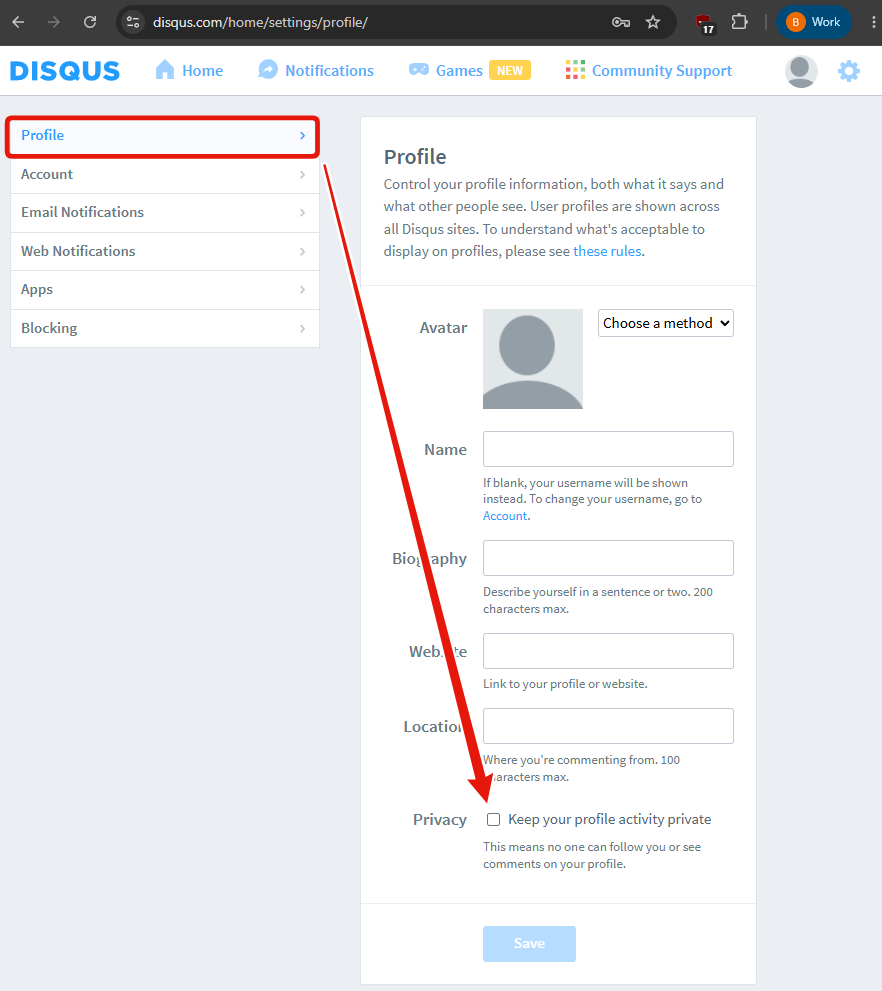
This is the one people miss, and it is the one with the most immediate effect. Until you
tick it, your Disqus profile is a public, browsable list of every comment you have left on
every site, sitting at disqus.com/by/yourusername. Anyone who finds it reads the lot.
Disqus describes the setting as meaning "no one can follow you or see comments on your
profile".
Press Save. This one does not save itself.
2. Stop the data sharing with advertisers
Open the Account tab.
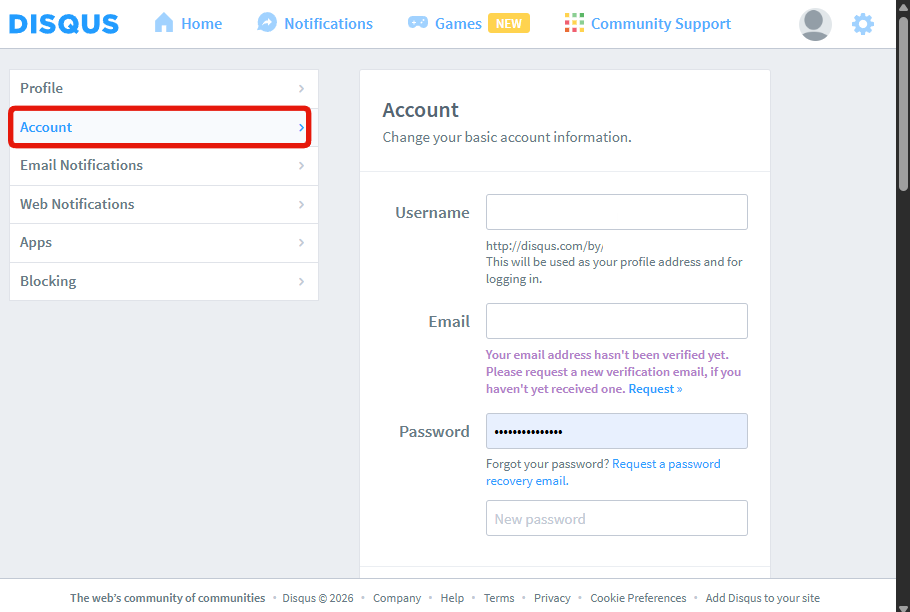
Scroll to near the bottom, past the recovery codes, until you reach Personalization. Press Configure.
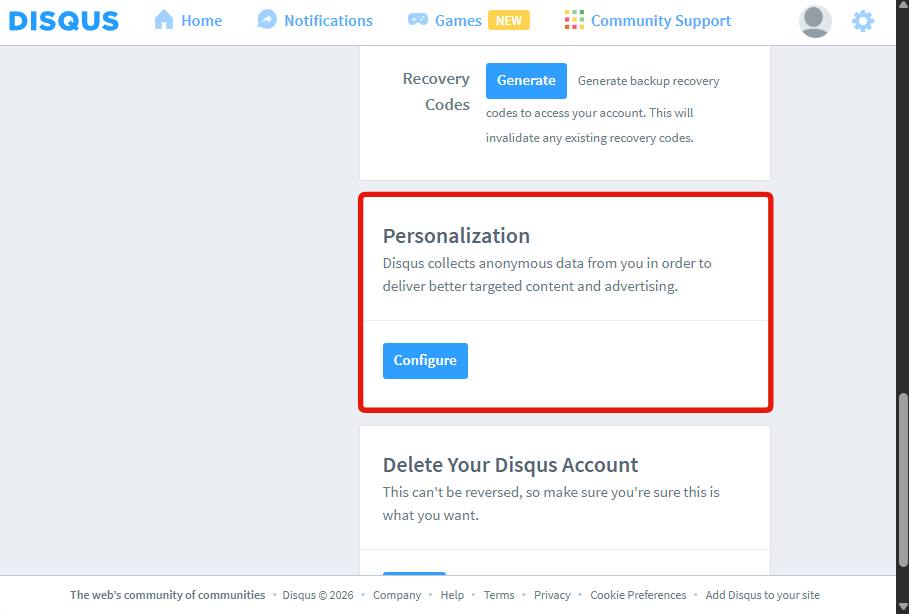
Disqus describes this one as collecting "anonymous data from you in order to deliver better targeted content and advertising". Configure takes you to the Privacy Choices page, which you can also reach directly at disqus.com/data-sharing-settings.
Press the blue OPT OUT button.
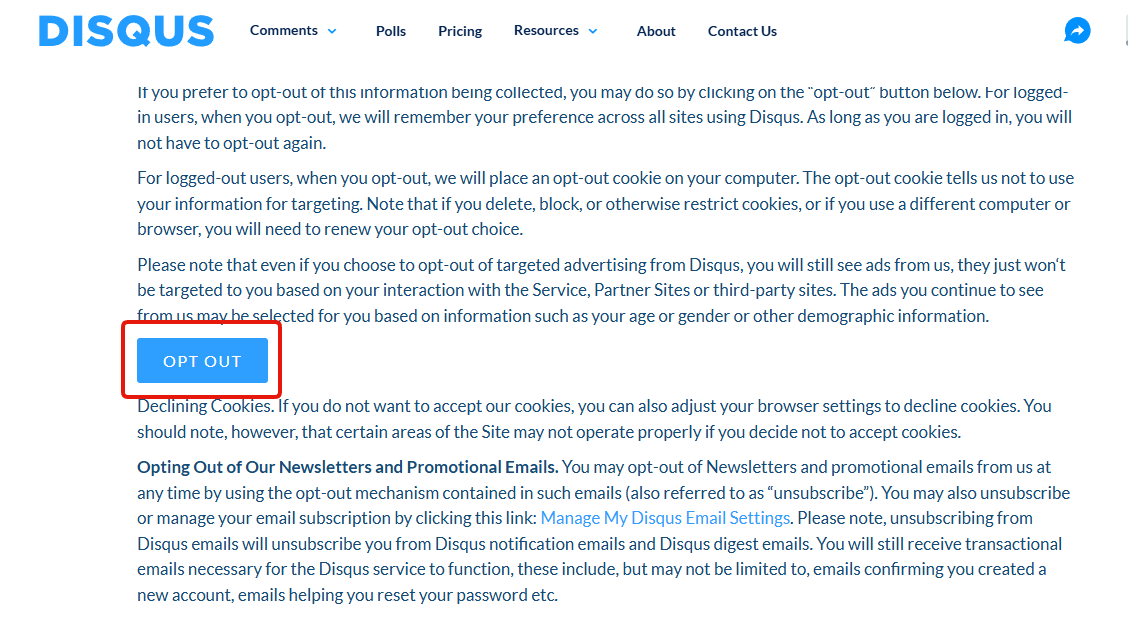
Three things Disqus says on that page that are worth knowing before you press it:
- Log in first. Signed in, Disqus remembers the choice across every site using Disqus, and you never have to do it again. Signed out, it drops an opt-out cookie instead.
- An opt-out cookie is fragile. Clear your cookies, block them, switch browser or switch computer, and it is gone. Disqus stores your privacy preference in the very thing you clear to protect your privacy, which is why doing this logged in matters.
- You will still see ads. They just will not be picked from your browsing. Disqus says it may still target them using "your age or gender or other demographic information".
3. Turn off every email
Open the Email Notifications tab and press the blue Unsubscribe button at the top.
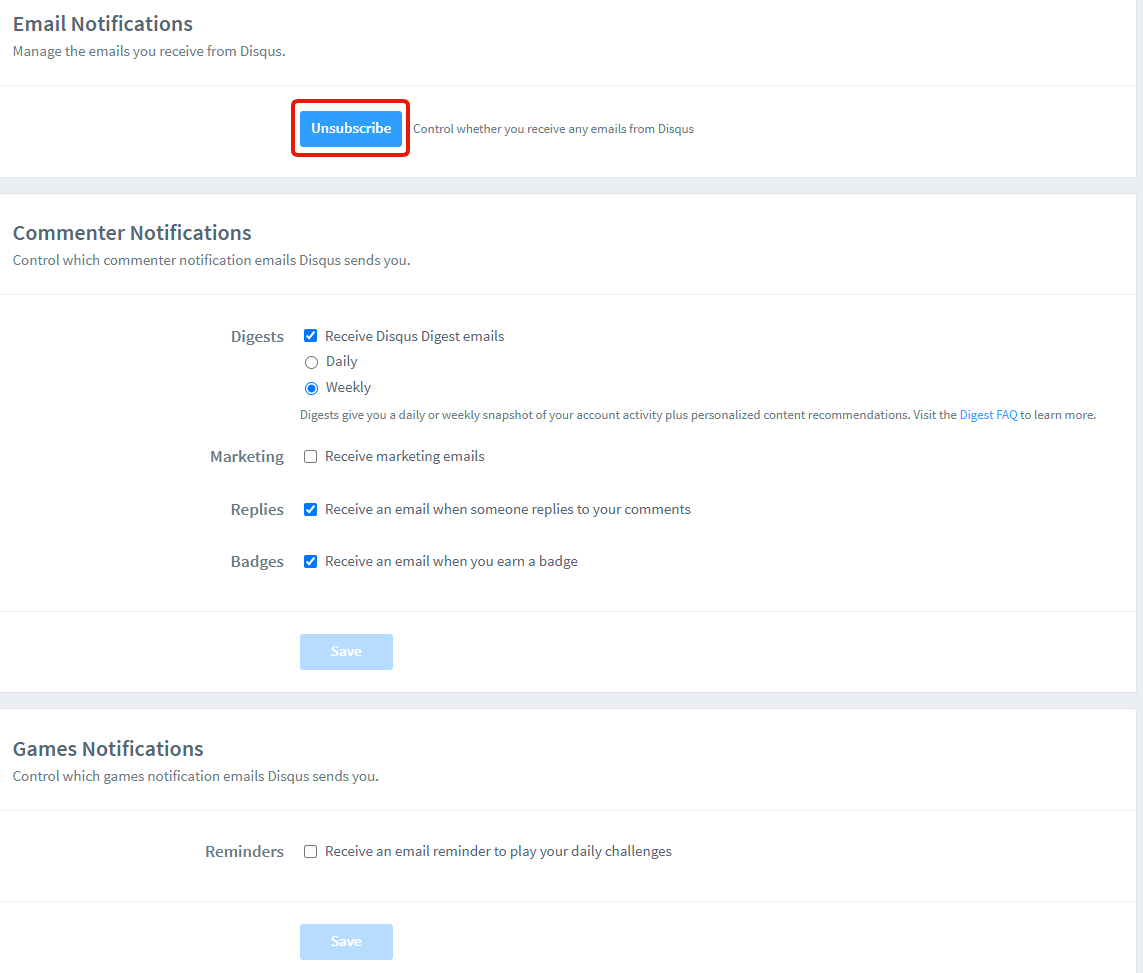
That single button switches off everything below it: digests, marketing, reply notifications and badge emails. You do not need to work through the checkboxes one by one.
Strictly this is a mailbox setting rather than a privacy one, but fewer emails is what a lot of people actually came for. Note that transactional mail still gets through, meaning account confirmations and password resets. Unsubscribing does not stop those, and should not.
4. Ask them to delete what they already hold
Settings 1 to 3 change what Disqus does from now on. This one goes after the data they have already collected.
Scroll back up on that same Privacy Choices page from step 2. Under How To Make a Request, there is a "click here" link. That is the way in.
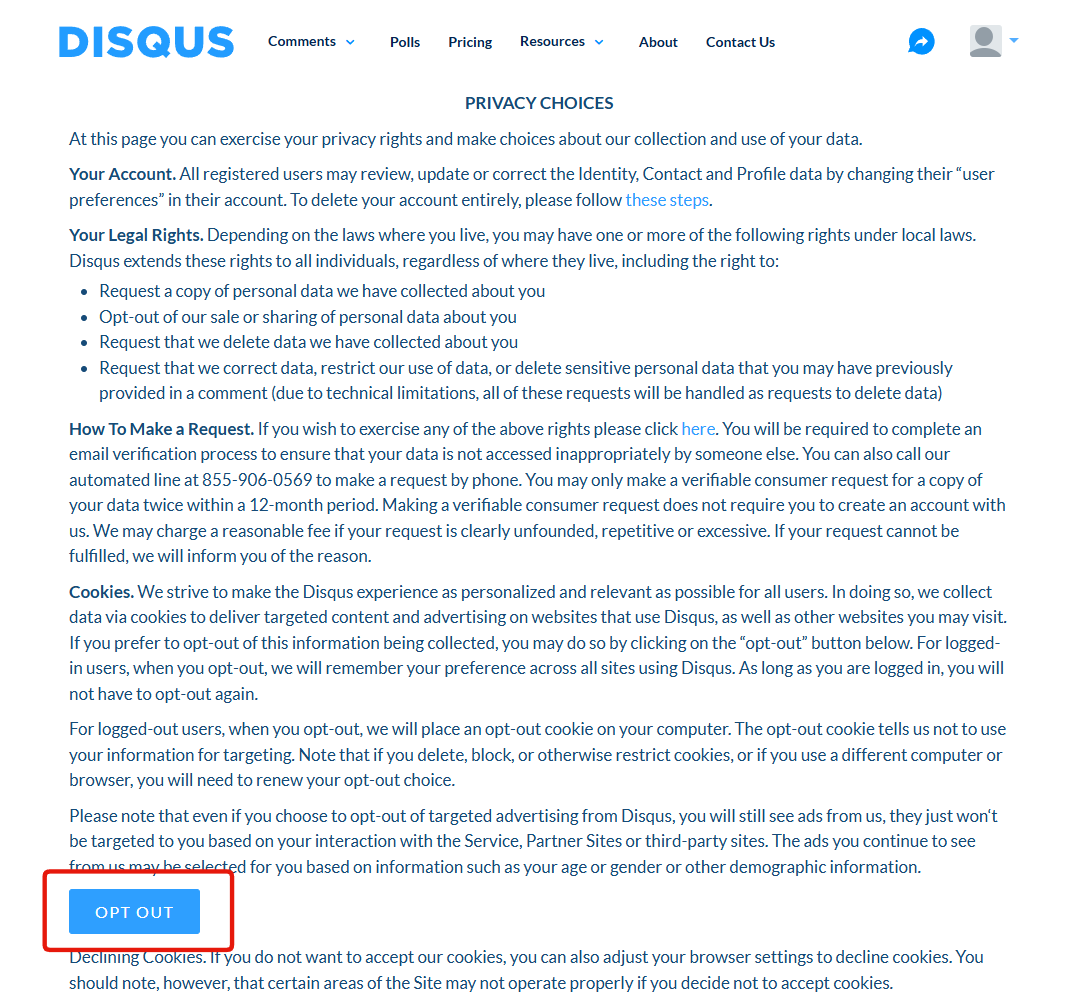
It opens a request form you fill in by hand, and you can tick more than one request at once.
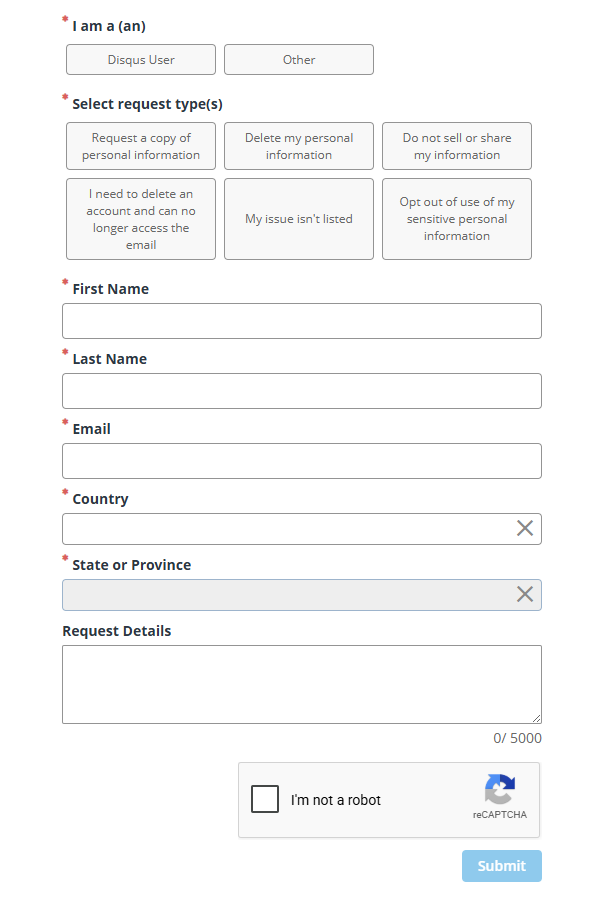
- Request a copy of personal information
- Delete my personal information
- Do not sell or share my information
- Opt out of use of my sensitive personal information
- I need to delete an account and can no longer access the email
- My issue isn't listed
What it asks for: first name, last name, email, country, and state or province, all required. Request details is a free-text box and is optional. There is a reCAPTCHA to clear before Submit will go.
Four things Disqus states about these requests:
- Everyone can file one, not just people in California or the EU. Disqus says it "extends these rights to all individuals, regardless of where they live", which is more than most companies offer.
- You do not need an account. The form asks whether you are a Disqus user and takes both answers.
- Correction requests get treated as deletions. Disqus says that due to technical limitations, asking it to correct data, restrict its use, or remove sensitive personal data from a comment will all be handled as requests to delete.
- Copies are limited to twice in any 12 months, and Disqus reserves the right to charge a fee for requests it considers unfounded, repetitive or excessive.
There is also a phone option, an automated line on 855-906-0569, if you would rather not use the form.
One thing to weigh before you file: proving who you are means handing your real name and location to an ad-tech company, and there is an email verification step. If all you want is the tracking stopped, step 2 already did that without telling them anything new.
What none of this covers
Your comments stay up. These four settings govern tracking, profile visibility, email and data requests. They do nothing about the comment history sitting under every article you have ever argued on, which stays public, indexed and attached to your name. Clearing that out is a separate job.