
How to lock down your privacy settings: Discord
Verified working August 13, 2026. Not working? Let us know
Easy · 2 steps · about 3 to 5 minutes
Direct links to your Discord privacy settings
Both of these open the Discord desktop app rather than a web page. If you do not have the app installed, follow the route below instead.
- Data & Privacy settingsAll five on by default - This is where you turn off analytics and sponsored-content targeting, choose who can see your profile, and request a copy of your data.
- Activity Privacy settingsBoth on by default - This is where you stop broadcasting the games and apps you are using, and stop notifying your friends every time you log in.
Discord does not train AI on your messages, so there is no AI opt-out here. Discord's own privacy policy says it does not sell your personal information, and the only model-building it describes is for moderation, meaning systems that detect and act on prohibited content. There is no toggle anywhere in Discord's settings about training generative models, because there is nothing to switch off.
What the Data & Privacy page actually controls is analytics and advertising. That is worth doing, and all five switches are on until you turn them off.
How to find your Discord privacy settings manually
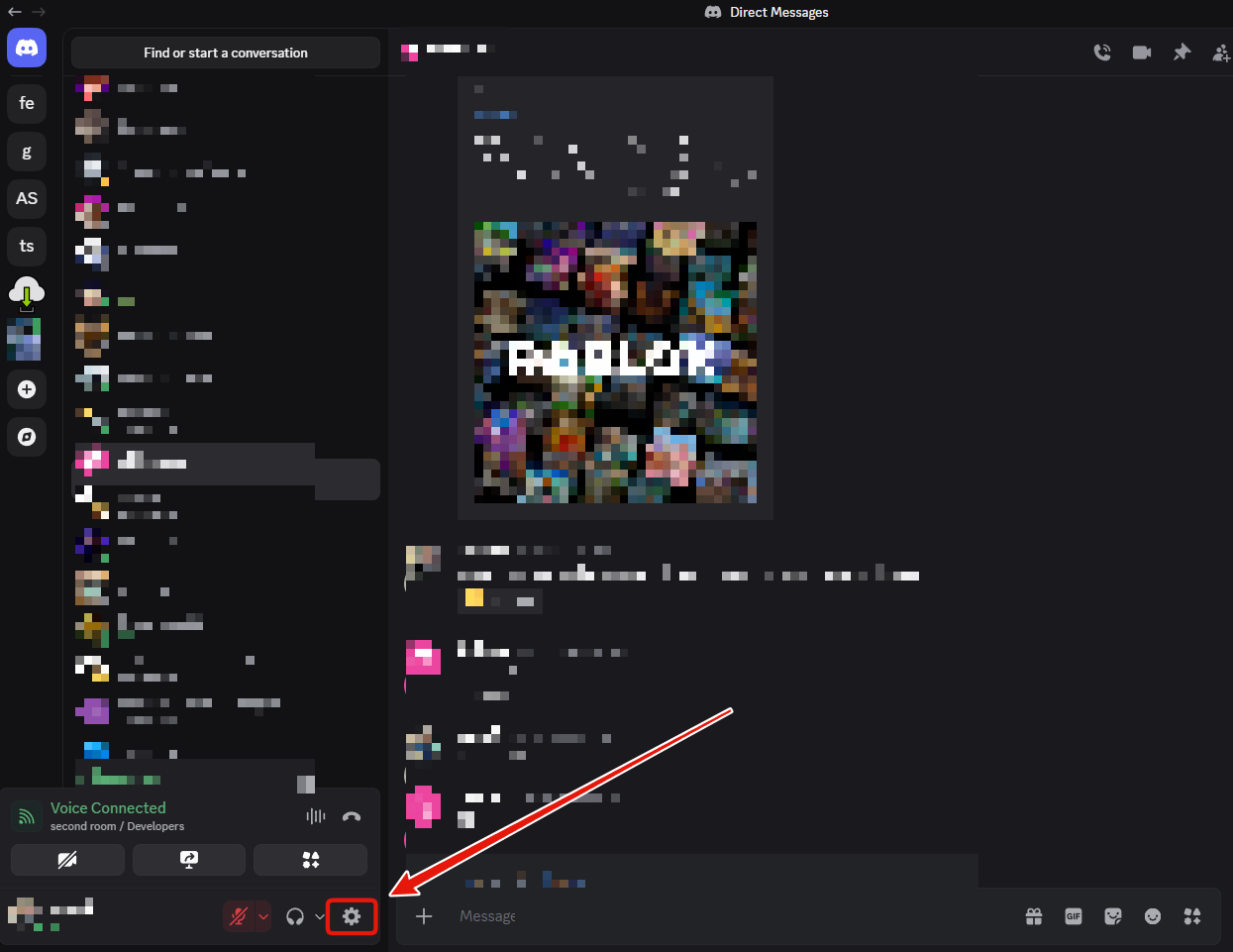
1. Open your settings
Click the gear icon at the bottom left, next to your name.
2. Open Data & Privacy
It is the second item in the sidebar, under Account. It splits into three sections: How Discord Uses My Data, Profile Privacy, and Voice End-to-end Encryption.
If you used the direct link above, do not be thrown by it reading
settings/privacy-and-safety. That was this tab's old name and Discord kept the old route
after renaming it.
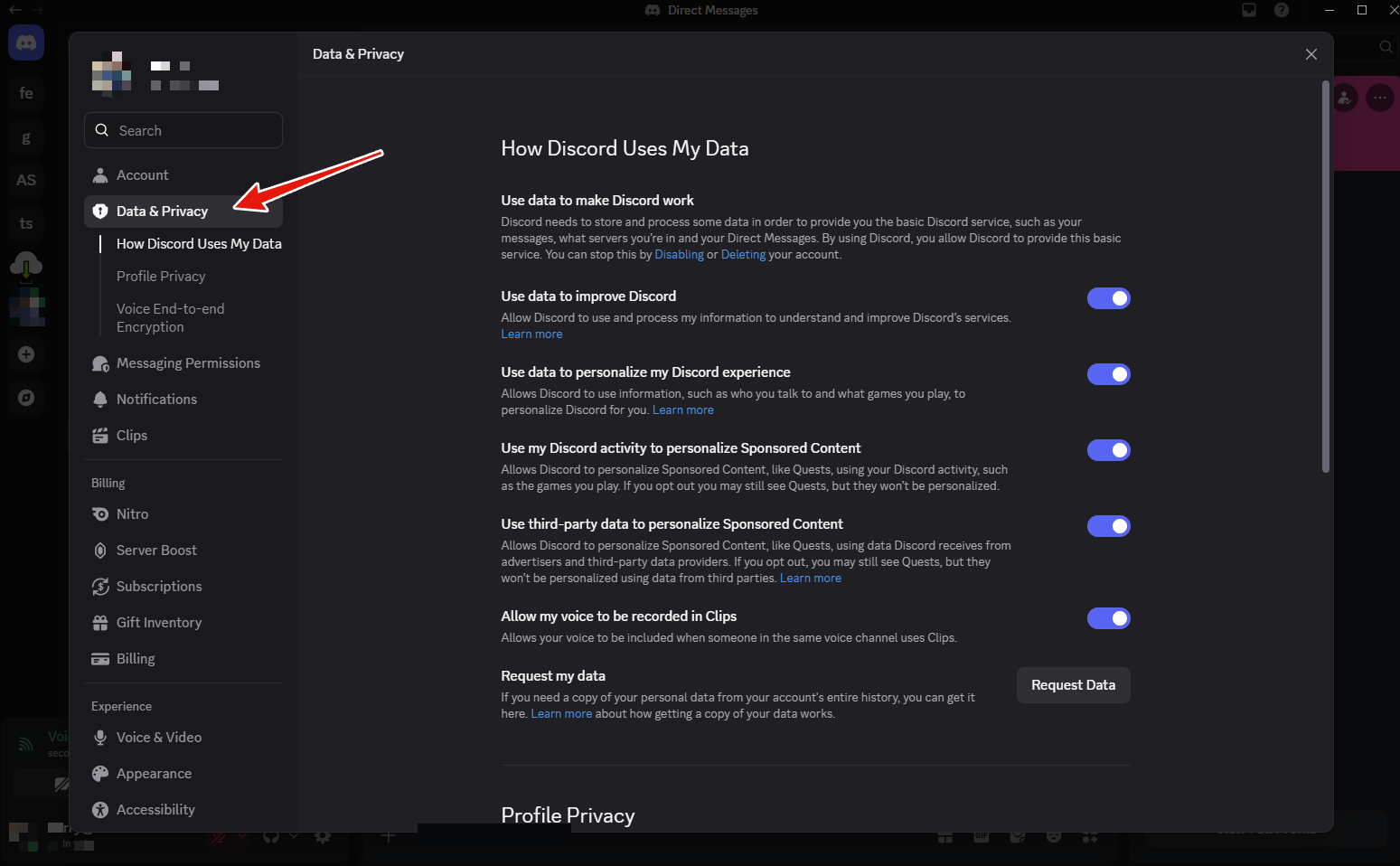
That screenshot is the page before anything is touched. Every switch is on.
How Discord Uses My Data
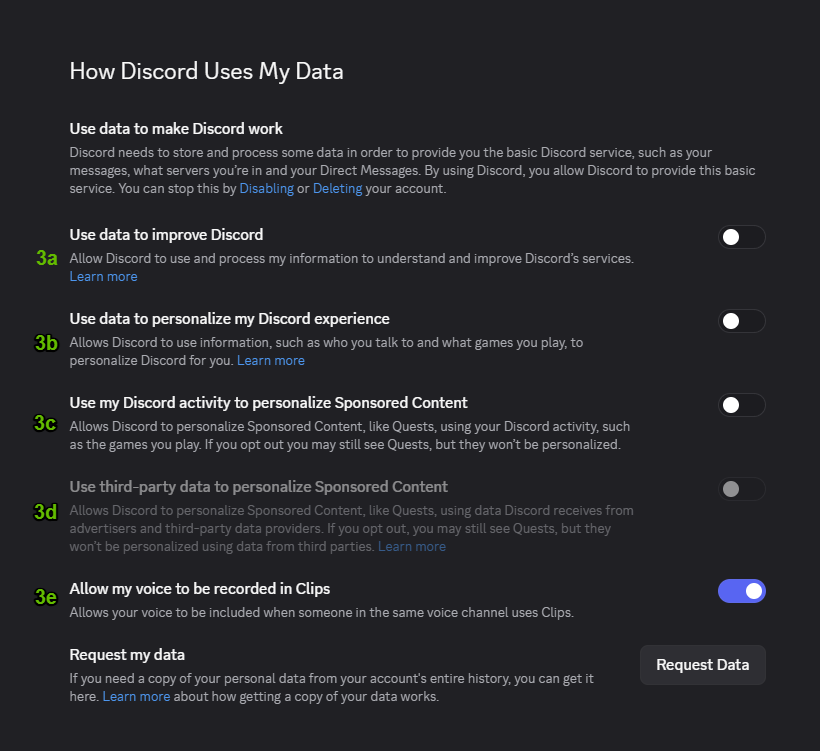
Use data to improve Discord
Turn it off. Discord shows a warning that reads as though you are about to lose voice chat. You are not. Calls, group calls, server channels, text, video and streaming all keep working exactly as they did.
What you actually give up is a place in A/B tests and early access to unreleased features, and Discord will no longer tune your voice and video settings automatically from your call analytics. Press Yes, I'm sure.
Use data to personalize my Discord experience
Turn it off. Another warning, this one saying you will lose recommendations and suggestions and cannot get them back. What it uses is who you talk to and what games you play. For most people losing the suggestions is not a real trade.
Use my Discord activity to personalize Sponsored Content
Turn it off. This one is straightforwardly advertising. Discord uses your activity, such as the games you play, to target Sponsored Content and Quests at you. You will still see Quests, they just will not be picked from what you do.
Use third-party data to personalize Sponsored Content
Nothing to do. Discord switches this one off and greys it out the moment you turn off the one above it, which tells you how tightly the two are tied together. If you skipped the previous step, turn this one off yourself: it covers data Discord buys from advertisers and third-party data providers.
Allow my voice to be recorded in Clips
Your call. It allows your voice to be included when someone else in the same voice channel uses Clips. It is lower stakes than the rest of the page and plenty of people leave it on. Turn it off if you would rather not be recorded by other people's clips.
Request my data
At the bottom of the same section there is a Request Data button. It sends you a copy of your personal data across your account's entire history. Worth doing once, if only to see how much there is.
Profile Privacy
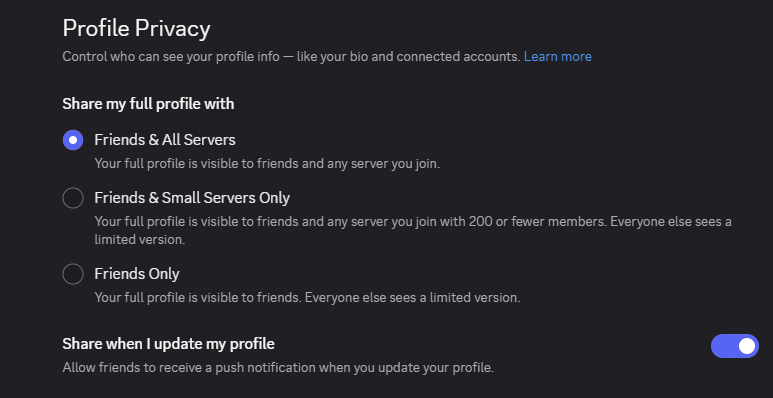
Share my full profile with
Three options, and the default is the most open one:
- Friends & All Servers, the default. Your full profile, including your bio and connected accounts, is visible to every server you have ever joined.
- Friends & Small Servers Only, meaning servers with 200 members or fewer. Everyone else sees a limited version.
- Friends Only. Everyone else sees a limited version.
Worth thinking about how many servers you have drifted into over the years. On the default, every one of them can see your connected accounts.
Share when I update my profile
On by default. It pushes a notification to your friends whenever you change your profile.
Activity Privacy
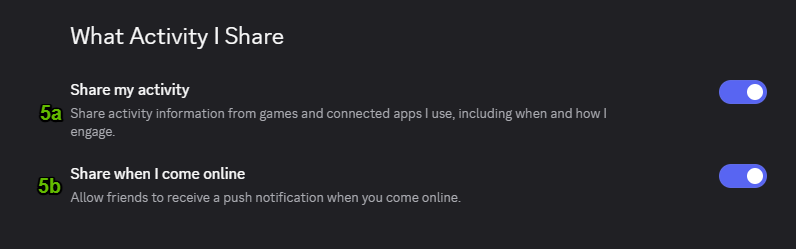
Share my activity
On by default. This broadcasts the game you are playing or the app you are using, Spotify included, onto your profile and status. Leave it on if you want friends to see what you are playing so they can join. Turn it off if you would rather not publish your app usage.
Share when I come online
On by default. This sends a push notification to your friends every time you log in. Turning it off stops the notifications, and stops people messaging you the moment you appear.
What none of this covers
Your messages stay where they are. These settings govern analytics, advertising and who can see your profile and activity. They do nothing about the message history sitting in your DMs and every server you have posted in.
Discord is also blunt about the floor. Its own note at the top of the page says that the data it processes to provide the basic service, meaning your messages, the servers you are in and your DMs, can only be stopped by disabling or deleting your account.