
How to lock down your privacy settings: DeviantArt
Verified working August 13, 2026. Not working? Let us know
Easy · 4 steps · about 4 to 7 minutes
Direct links to your DeviantArt privacy settings
DeviantArt scatters its privacy settings across four separate pages rather than collecting them in one place, so these links save the most time of any guide here.
- My accountBirthday shown by default - This is where you stop showing your birthday on your public profile.
- BrowsingOff by default - This is where you turn on invisible browsing, so you stop appearing in other people's visitor lists.
- Security and privacy - This is where you block specific accounts from reaching you, and check which devices are signed in.
- Personal data - This is where you download a copy of everything DeviantArt holds on you, or permanently delete it. Hidden: nothing in the settings menu links to this page.
DeviantArt has no AI opt-out. Nothing in your account settings stops your work being used to train a model. The only thing DeviantArt labels as an AI control is a filter for not seeing AI-generated art in your feed, which does nothing about your own art.
What it does have is four genuine privacy settings, spread across four separate pages instead of collected in one place. The last of them is not linked from the settings menu at all.
How to find your DeviantArt privacy settings manually
1. Hide your birthday
Go to My account and find Personal information. The Birthday display dropdown defaults to Show only month and day publicly.
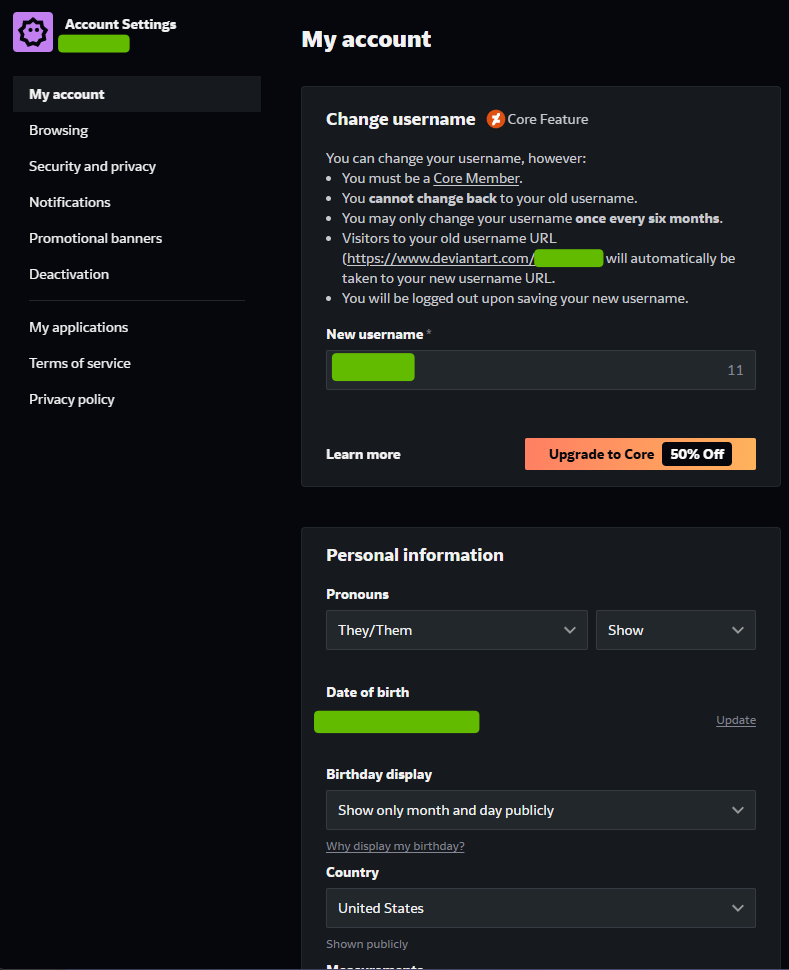
Change it to the private option and press Save.
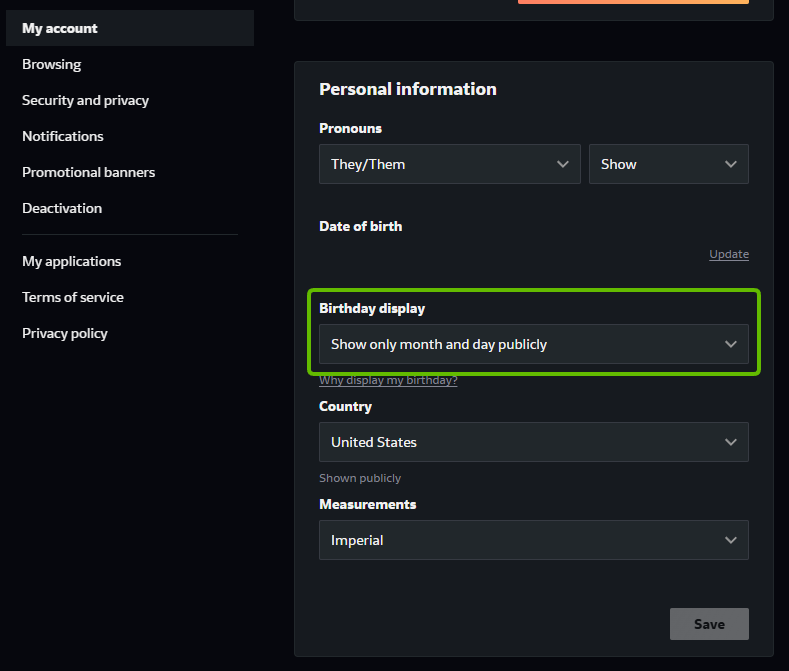
Worth doing even though it looks minor. A birthday, even without the year, is one of the standard fields data brokers use to match a username to a real person. Note that Country sits just below it and is marked Shown publicly too.
2. Turn on invisible browsing
Go to Browsing and set Invisible browsing to On, then press Save.
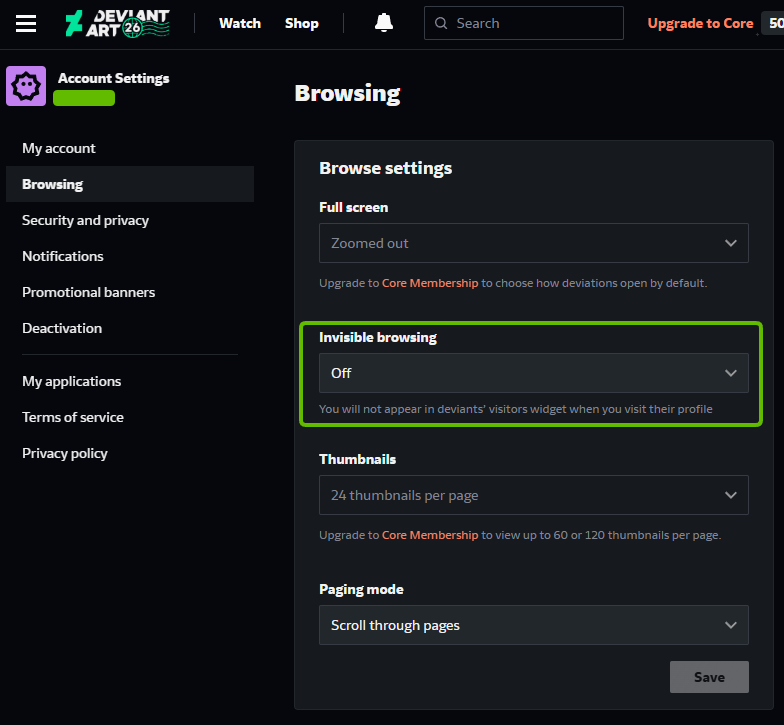
Off by default, which means that until you change it, every profile you look at records that you were there. DeviantArt's own description is that you will not appear in deviants' visitors widget when you visit their profile.
3. Block anyone you do not want on your profile
Go to Security and privacy and use Blocked usernames.
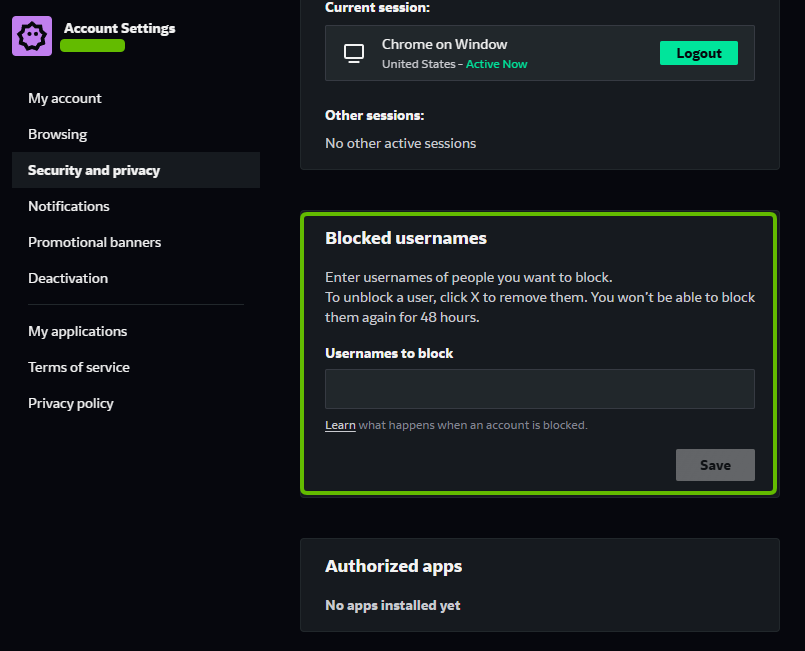
This is closer to harassment control than data privacy, but it belongs in the same pass. Note the catch DeviantArt states: unblock someone and you cannot block them again for 48 hours.
The same page lists your current session and any other active sessions, which is worth a glance for anything you do not recognise.
4. Request or delete your personal data
Go to Personal data.
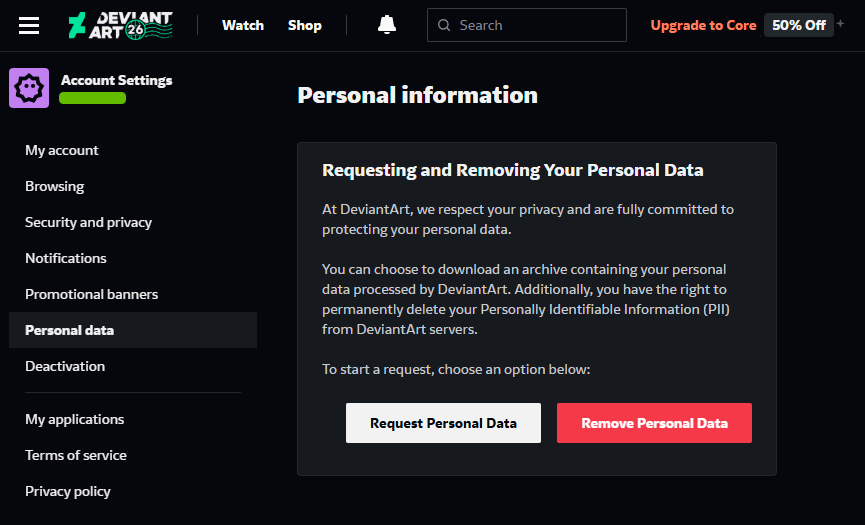
This page is hidden. It is not in the settings menu. The only route DeviantArt gives you is a link buried inside the privacy policy, so unless you already know the page exists you will not find it. The link above goes straight there.
Two buttons:
- Request Personal Data downloads an archive of what DeviantArt holds on you.
- Remove Personal Data permanently deletes your personally identifiable information from DeviantArt's servers.
What none of this covers
Your deviations stay up, public and indexed. These four settings govern your birthday, your browsing trail, who can contact you, and the personal data DeviantArt holds about your account. None of them touches the art itself, which is the thing a scraper actually wants. Taking work down is the only lever that changes that, and it is a separate job.