
How to opt out of AI training: X (Twitter)
Verified working August 12, 2026. Not working? Let us know
Easy · 5 steps · about 1 to 3 minutes
X turns this on for you. All three Grok settings ship already checked, so unless you have been into this screen before, your public posts and every interaction you have had with Grok are already being used to train xAI's models. Opting out takes one to three minutes.
How to find your X (Twitter) AI opt-out manually
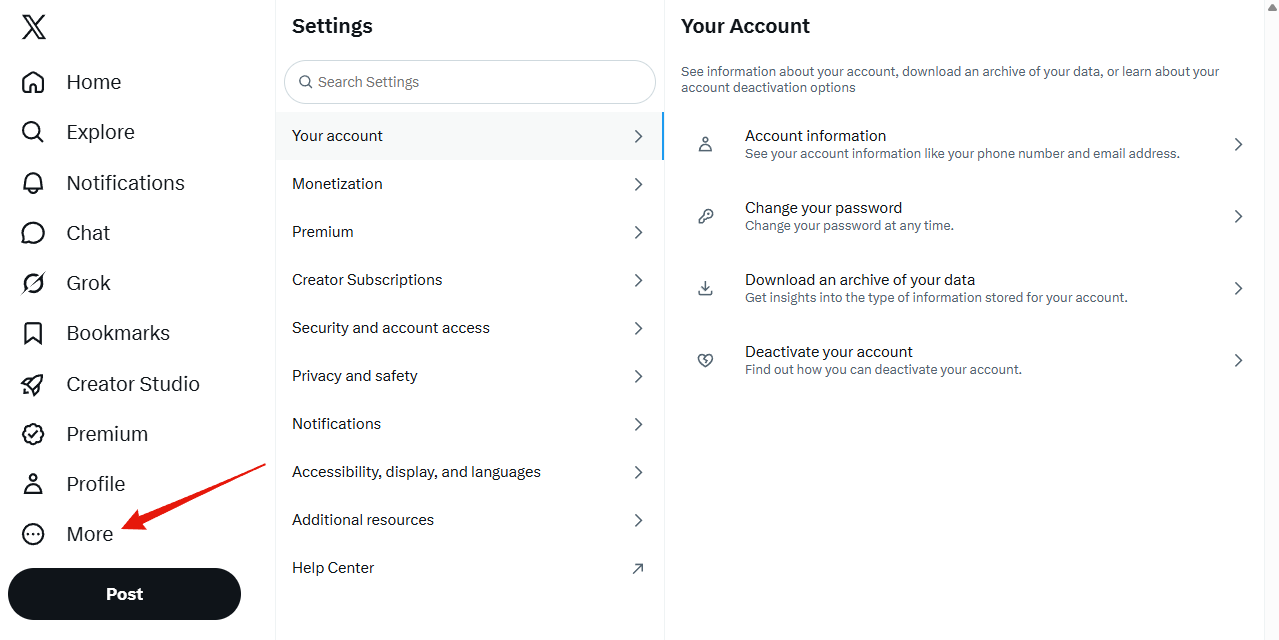
1. Open the More menu
It is at the bottom of the left-hand navigation.
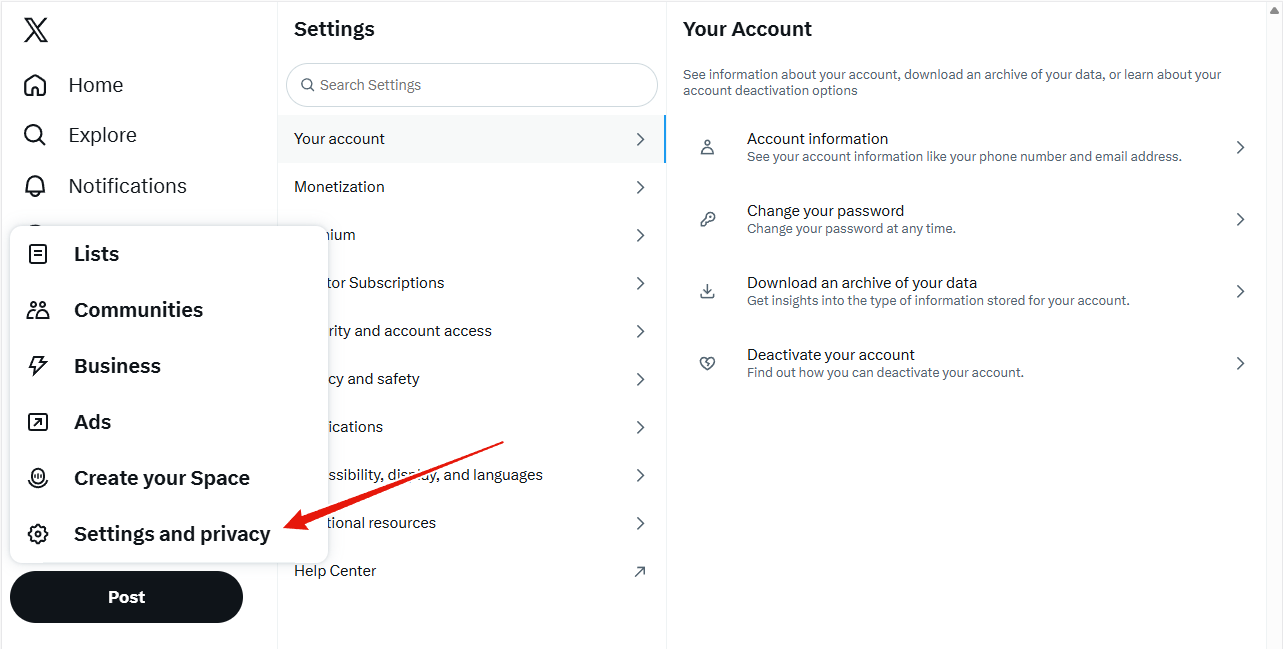
2. Choose Settings and privacy
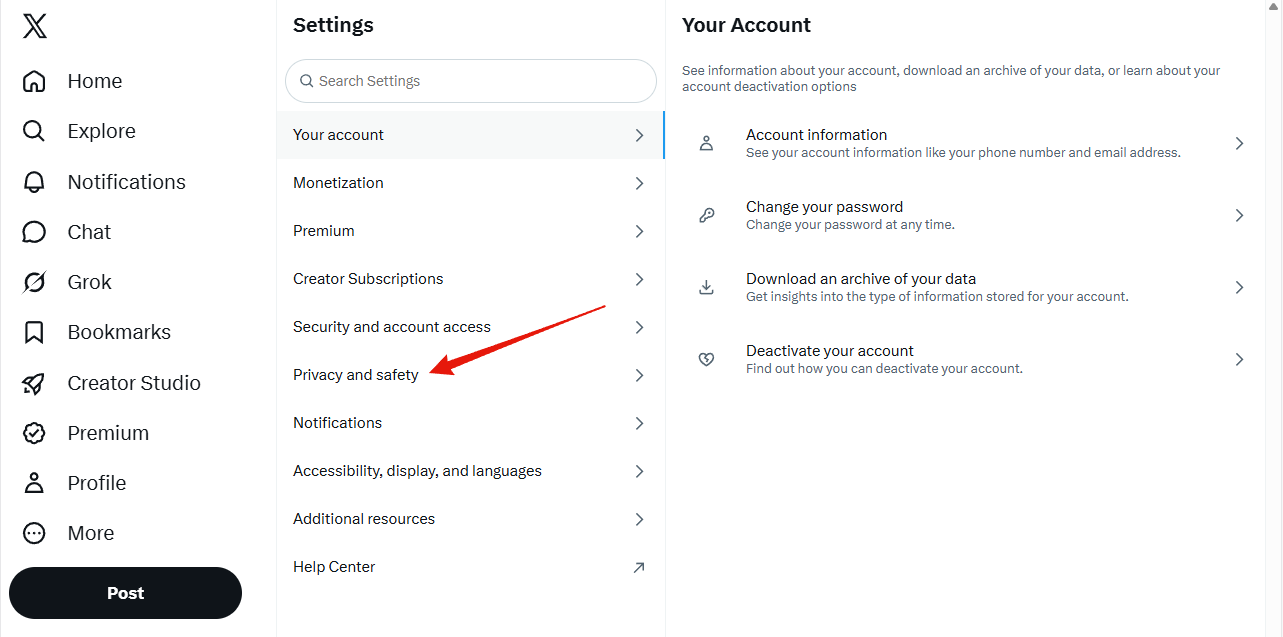
3. Choose Privacy and safety
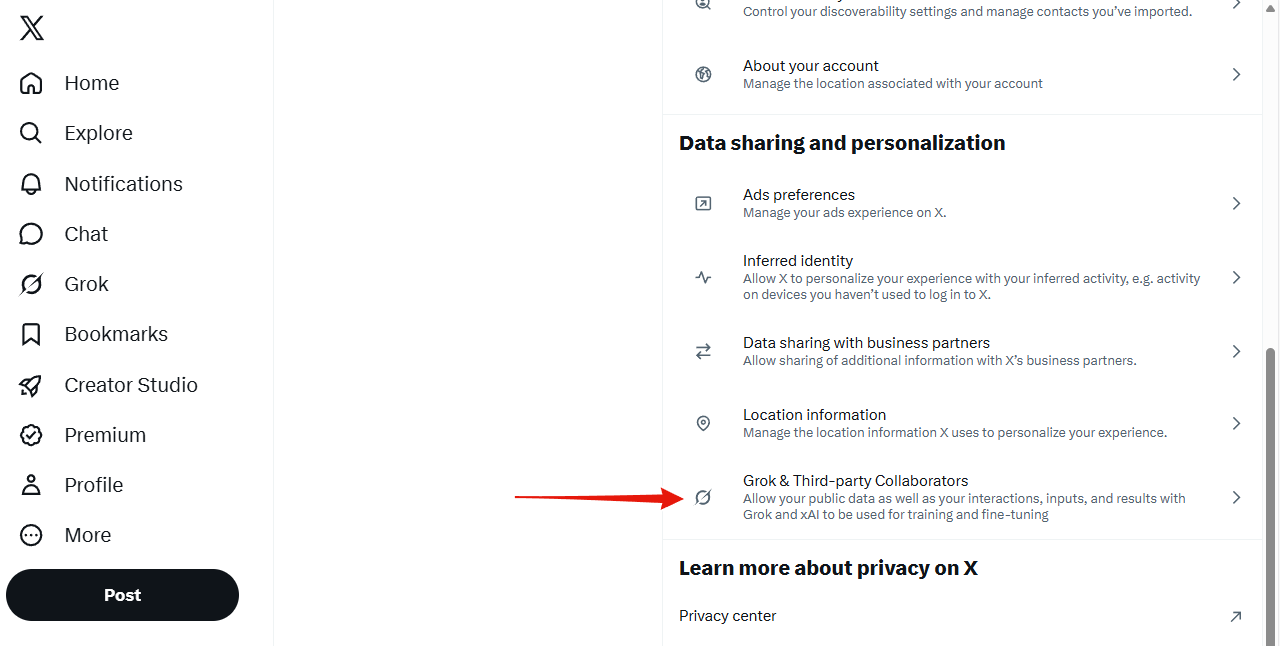
4. Open Grok & Third-party Collaborators
It sits at the bottom of the Data sharing and personalization group.
5. Uncheck all three boxes
- Allow your public data as well as your interactions, inputs, and results with Grok and xAI to be used for training and fine-tuning
- Allow X to personalize your experience with Grok
- Allow Grok to remember your conversation history
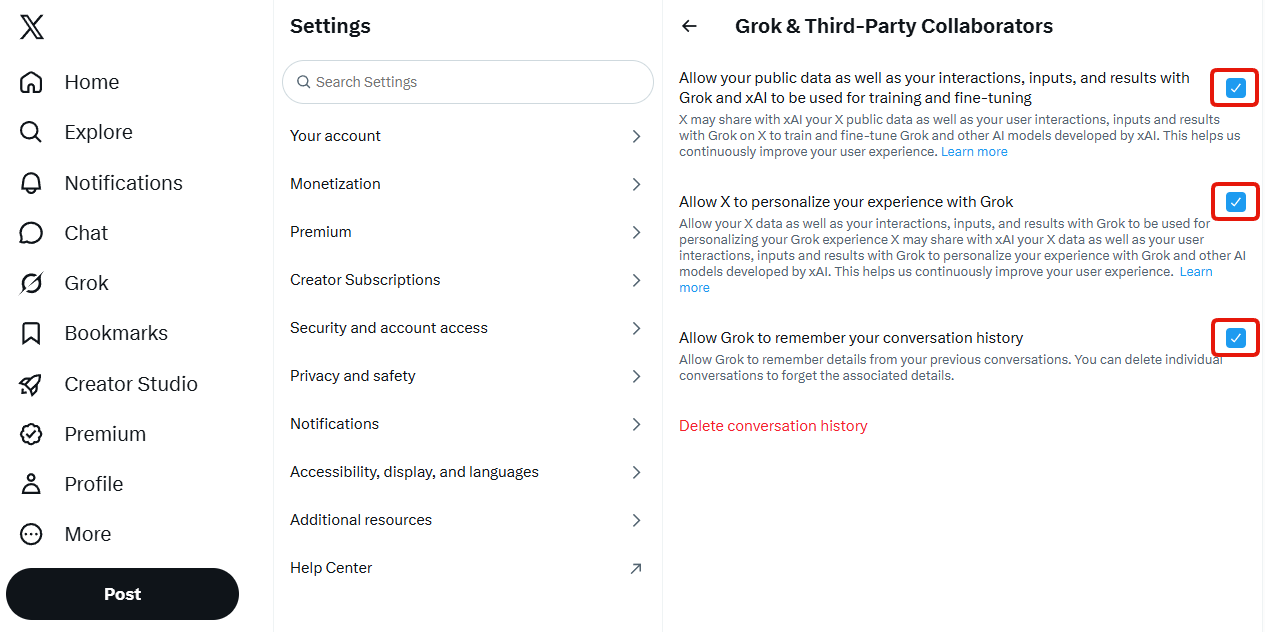
That is the opt-out done. There is no confirmation step and nothing to submit. The boxes save as you uncheck them.
Deleting your conversation history is optional. The red Delete conversation history link on the same screen clears what Grok has already stored from your past chats. It is a personal choice and it is not required to stop Grok training on your data. Unchecking the boxes above is what does that.
While you are on this screen
The same Data sharing and personalization group holds X's advertising controls: Ads preferences, Inferred identity, Data sharing with business partners and Location information. Turning those off is worth doing, but be clear about what it buys you: they govern ad targeting, not AI training. Only the Grok checkboxes above affect what xAI learns from you.