
How to opt out of AI training: Facebook
Verified working August 12, 2026. Not working? Let us know
No guarantee · 9 steps · about 8 to 13 minutes
Direct links to your Facebook AI opt-out
You do not have to jump through Facebook's hoops. This form is otherwise nine steps and three pop-ups deep.
- Generative AI data request form - This is where you tell Meta that your personal data appeared in a response from one of its AI models. Tick the box at the bottom, fill in your details, press Send.
How to find your Facebook AI opt-out manually
It takes nine steps and three nested pop-ups to reach that form from inside Facebook, and the link that finally gets you there is the last line of a wall of text about Meta's privacy principles. Nothing in Settings points at it. Nothing in the Privacy Center front page points at it. You have to already know it exists to find it.
That is a choice someone made. The walkthrough below is here so you can see exactly how far down they put it, and so the route still works if Meta moves the direct link.
1. Open Settings & privacy
Click your profile photo in the top right, then Settings & privacy.
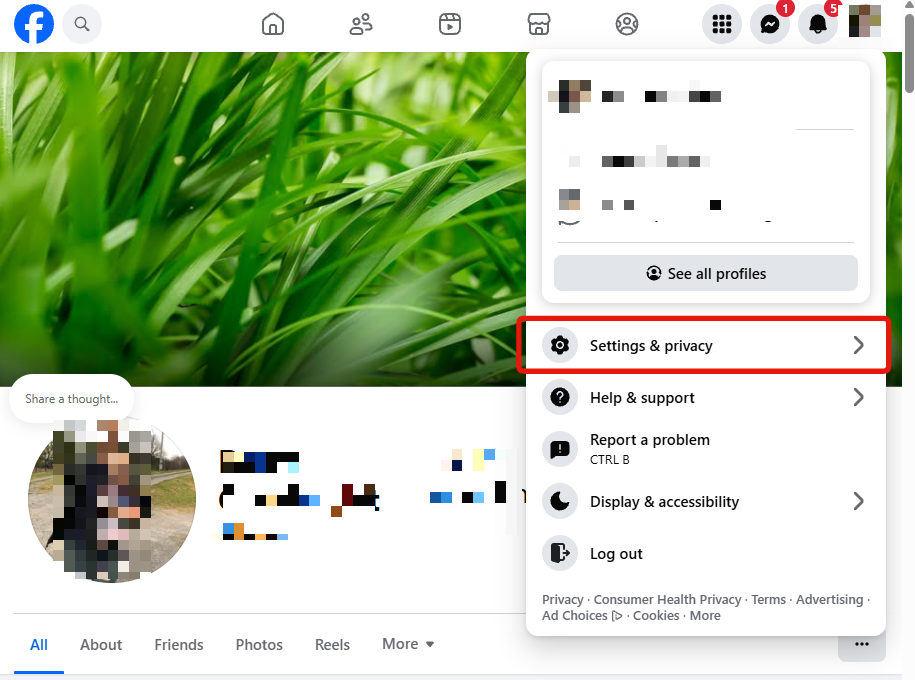
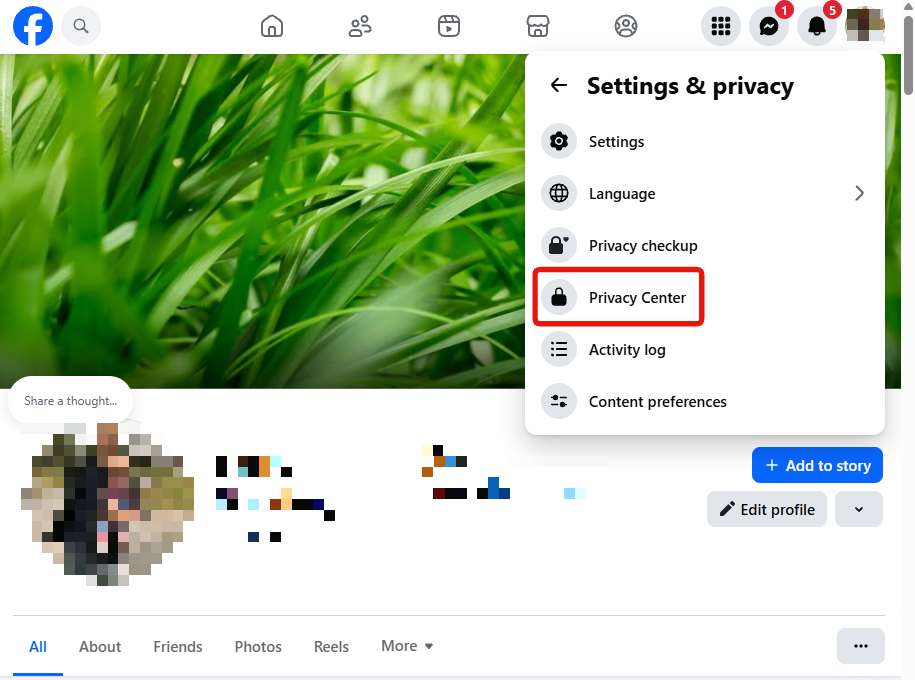
2. Open Privacy Center
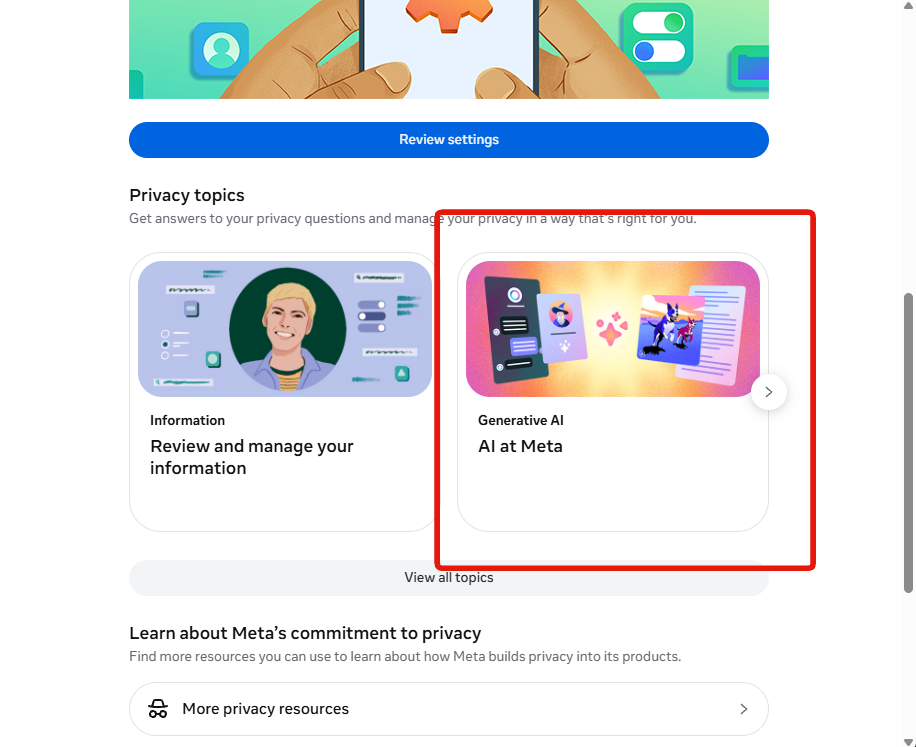
3. Under Privacy topics, choose the AI at Meta card
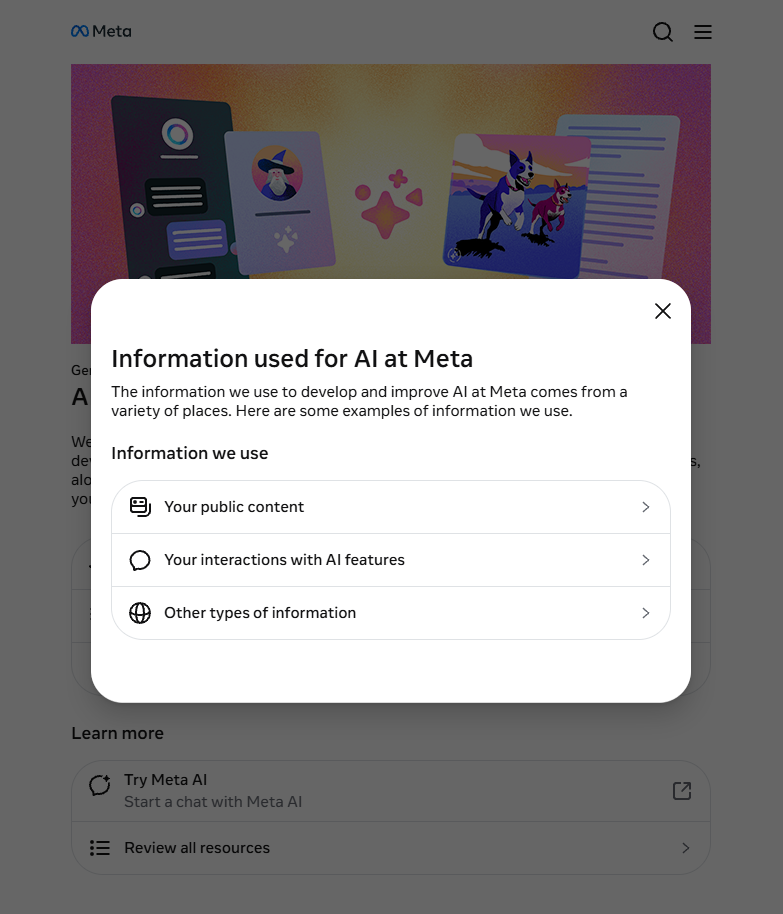
4. In the pop-up, choose Other types of information
This panel is worth reading rather than clicking past. It is where Meta lists what it trains on: your public content, your interactions with AI features, and everything else.
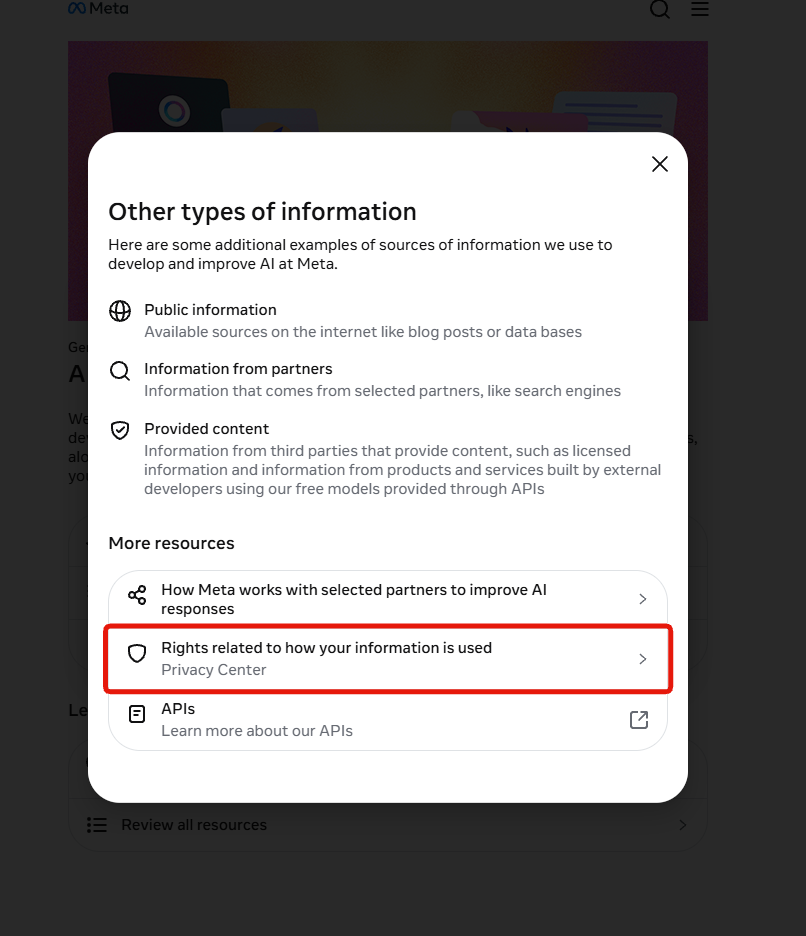
5. Choose Rights related to how your information is used
This screen names the outside sources: public information scraped from the internet, information from partners such as search engines, and licensed content from third parties.
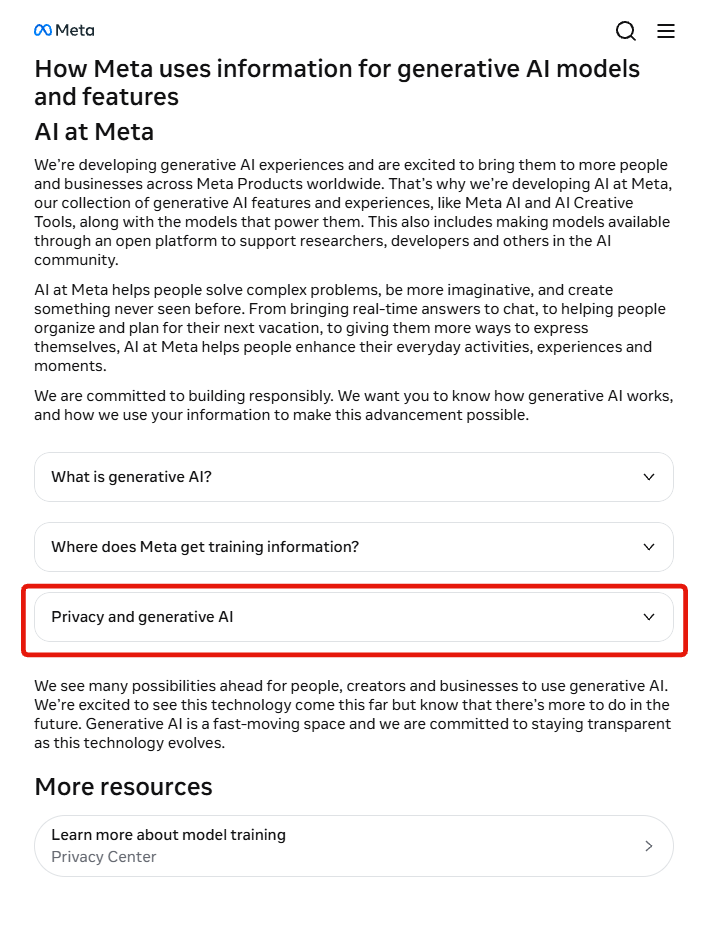
6. Expand Privacy and generative AI
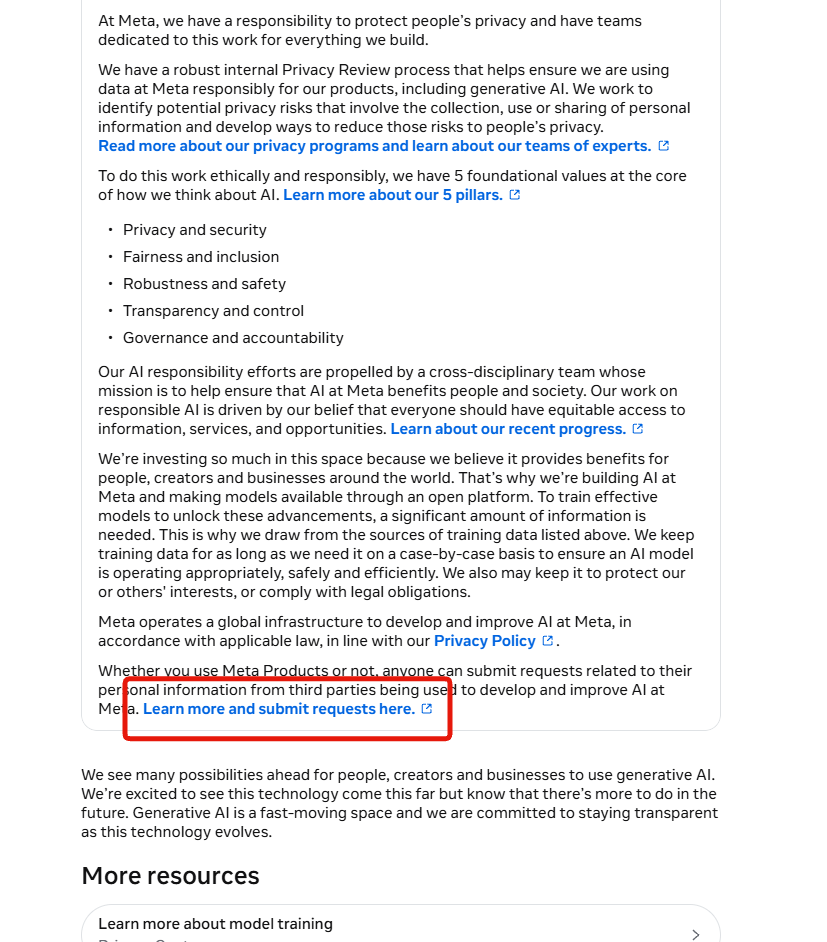
7. Scroll to the bottom and click Learn more and submit requests here
It is the last line of a long wall of text about Meta's privacy principles. This link is the only thing on the page that actually goes anywhere.
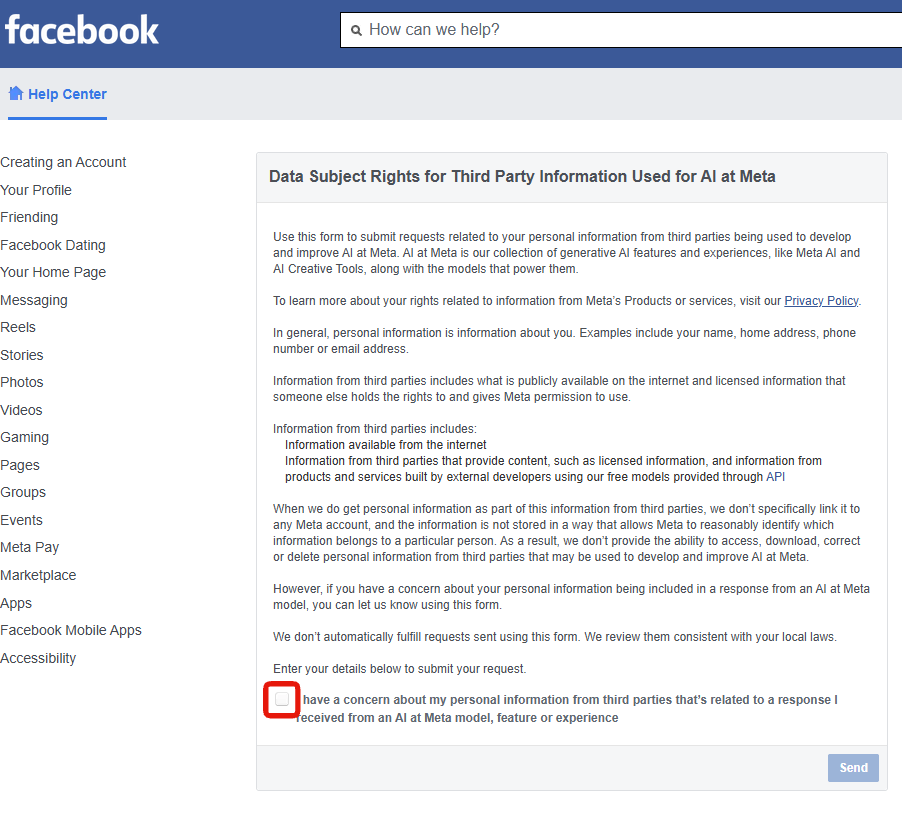
8. Tick the checkbox at the bottom of the form
Note what the single available option actually says: that you have a concern about your personal information appearing in a response from an AI at Meta model. That is the only request this form accepts. There is no option to delete anything.
9. Fill in your details and press Send
What the form tells you about itself
The page is unusually candid. Meta explains that third-party information is not linked to any Meta account and is not stored in a way that lets it identify whose data is whose, and concludes:
we don't provide the ability to access, download, correct or delete personal information from third parties that may be used to develop and improve AI at Meta.
It adds that requests are not automatically fulfilled and are reviewed "consistent with your local laws". That phrase carries everything. In the EU or UK, GDPR gives you a right to object that Meta must honour in most cases. In the US it depends entirely on your state, and roughly half have no comprehensive privacy law to invoke.
Send it anyway. It costs about ten minutes and an unfiled request achieves nothing with certainty. Just do not treat pressing Send as being done.
What actually works, wherever you live
These are not opt-outs, but they change what there is to train on, which matters more than the form does.
- Make your account private. Meta trains on public posts and photos. Going from public to private takes future posts out of scope.
- Lock down your back catalogue. Under Settings & privacy → Settings → Audience and Visibility → Posts, limiting who can see past posts converts years of public posts to friends-only in a single action. For most people this is the highest-value step here.
- Stay out of the Meta AI chatbot. What you type at it is logged and feeds later models. Ordinary private messages to friends and family are not used for training. The chatbot is the exposure, not your DMs.
The reliable lever
Meta will not un-train on what it already holds, and says plainly it cannot even find your third-party data to remove it. What you do control is how much of you is sitting in public to be collected, which makes deleting old posts, comments and photos the one step that does not depend on Meta agreeing to anything.